Topics
v0.7.1
Violation Triggers
Violation triggers are a string of text that are compared to each action the trainee performs. If the trigger matches the action, then the action is deemed "in violation of good practice" and the violation is triggered. Violation triggers are quite complicated to set up. This page will detail how they work and how to construct them.
Action Strings
Violations are triggered when their trigger matches up with some action string. Every action the trainee performs in the scenario creates an action string; for example, in the transmission simulation, if they increase MW output from the generator Mulungushi G1 from 3 MW to 5 MW, that creates the action string Increased:sMLNG_G1_GEN:MW_SP:5:3. GOAT then checks each violation trigger segment by segment to search for a match. If a match is found, that action is considered incorrect, and the violation gets triggered.
Violation triggers can be an exact match—you could directly use the above action string as a trigger if you wished—but often they will include some kind of substitution. For example, the trigger Increased:sMLNG_G1_GEN:MW_SP:ANY:ANY has substitutions in the last two segments. The ANY substitution can match any value, so this trigger will match the above action string. But it can also match the string Increased:sMLNG_G1_GEN:MW_SP:6:2 representing an increase from 2 to 6 MW, or it will match an increase from 7 to 9 MW, or any arbitrary increase in power, as long as the first three segments still matched.
The first segment of the action string is called the action type and corresponds to the general type of action that was performed. The amount of segments in the action string and their meanings are determined by the action type. There are several action types described on the Action Types page.
Creating Violation Triggers
To start, click the Modify button on a Violation's edit page:

This will open the trigger editor window. The first thing to do is select a primary segment from the list. The primary segment represents the type of action that can trigger this violation, and affects how the rest of the trigger is contructed. Each option provides a description of the action type for easier reference.
For this example, we are contructing a violation that should trigger when increasing power south of a constraint. The action type should thus be Increased.
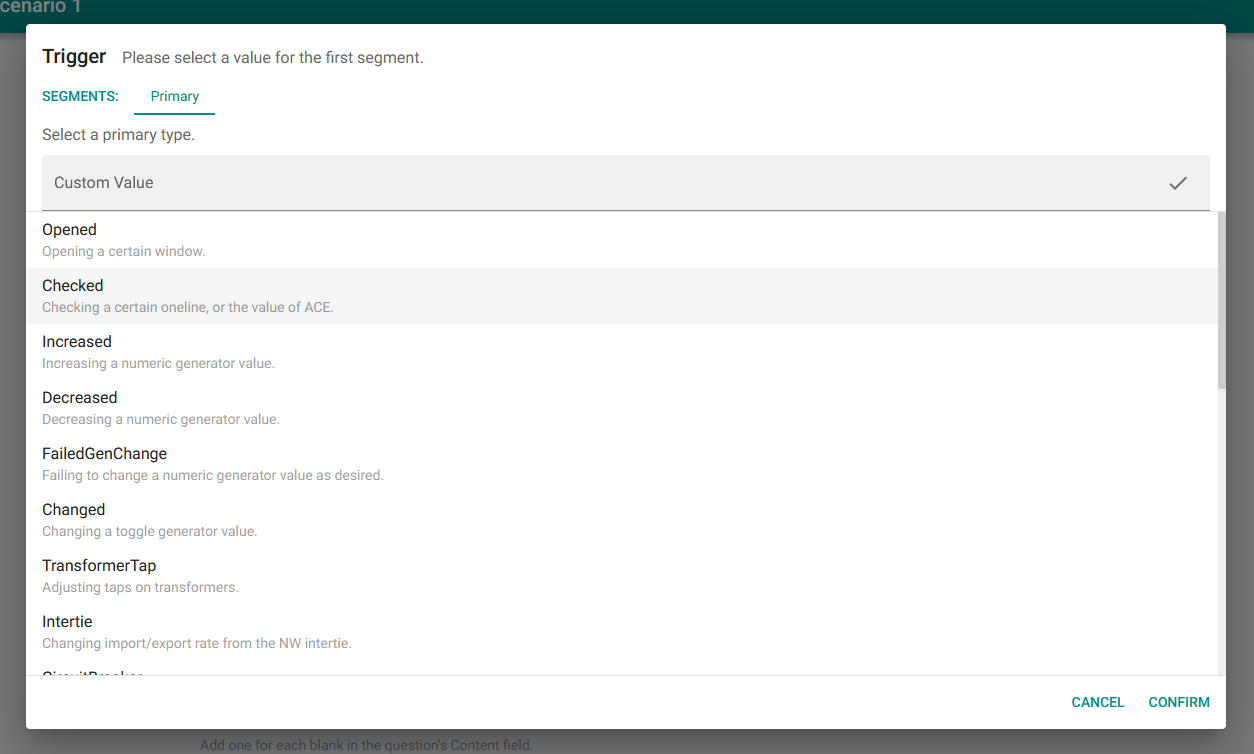
A list of available primary segments corresponding to different action types.
After selecting the action type for the primary segment, you can fill in the rest of the violation trigger to match. The segments list at the top of the window will populate with placeholders for each segment in the trigger. As you select values for each segment, these placeholders will fill in to create a completed trigger.
The selected segment is highlighted in green, and text appears below the segment list to describe what type of data should be filled in for that segment. In the list in the main section of the page are the values that can be selected for each segment. For example, when selecting a generator, you can pick from every generator available in the simulation.
You can also select from a set of Substitutions, which will provide a less strict match. These substitutions have a description that says what types of actions they can match. In this example scenario, generators north of the constraint are marked as solution targets. So to trigger this violation on an increase south of the constraint, we will pick the NO_SOL substitution to match an increase on any non-solution target generator.
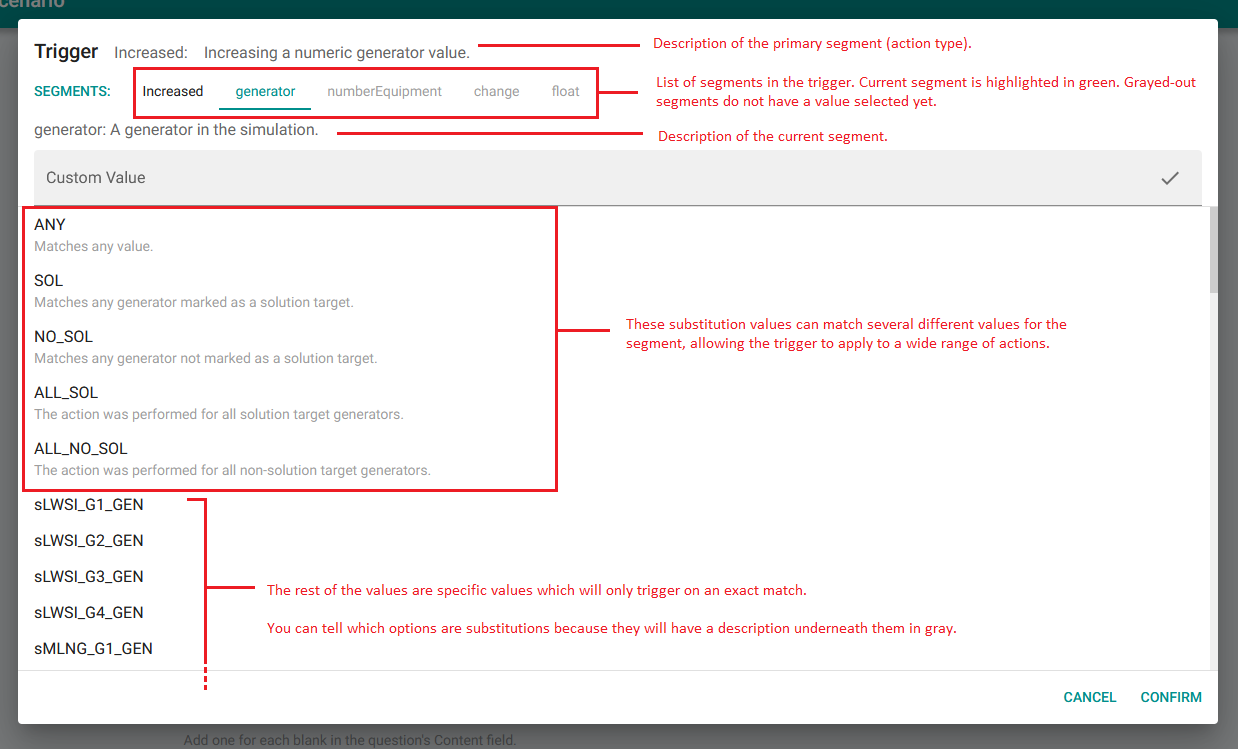
After filling in the generator segment, you will proceed to the numberEquipment segment to choose which part of the generator the trigger cares about. For this you will choose MW_SP (MW Setpoint) to match the power output in MW. Then choose the ANY substitution for the final two segments—it doesn't matter what they increased power from or what they set it to, as long as it was an increase. Your final trigger string should look like this:
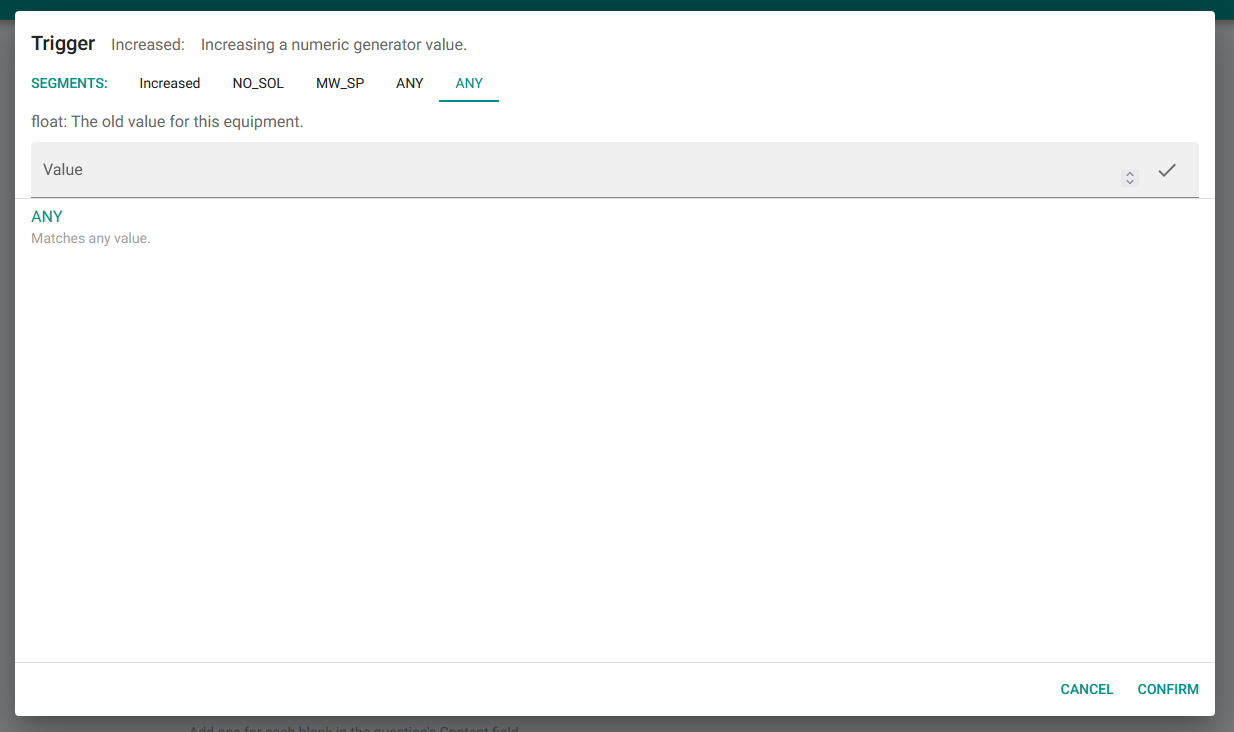
The final page of the trigger editor, with the trigger fully constructed.
The final violation trigger is Increased:NO_SOL:MW_SP:ANY:ANY, or in other words, "increasing MW power output, from any non-solution target generator, to any value, from any previous value." If the trainee ever performs an action that matches this description, this violation should trigger. Click Confirm in the bottom right to save the trigger.