Skip Violations
The violations you have seen previously in this tutorial have all been used to detect specific actions. It's easy to detect when the trainee does something incorrect. But how do you tell if they don't do something they should have done? This is where skip violations come in.
These violations use the Skipped action type, and refer to two accomplishments in their segments. The first accomplishment represents a milestone that has not been completed yet. The second accomplishment is one that has been completed, or has had a requirement crossed off. Creating a violation means that good practice is to complete the actions required for the first accomplishment before completing the second accomplishment.
These violations are different from all other violations in that they are created in reverse. Most violations are compared to an existing action string. But in this case, every skip violation in the scenario is checked on every accomplishment completion, and the action string is only created if a match is found.
Simple Skips
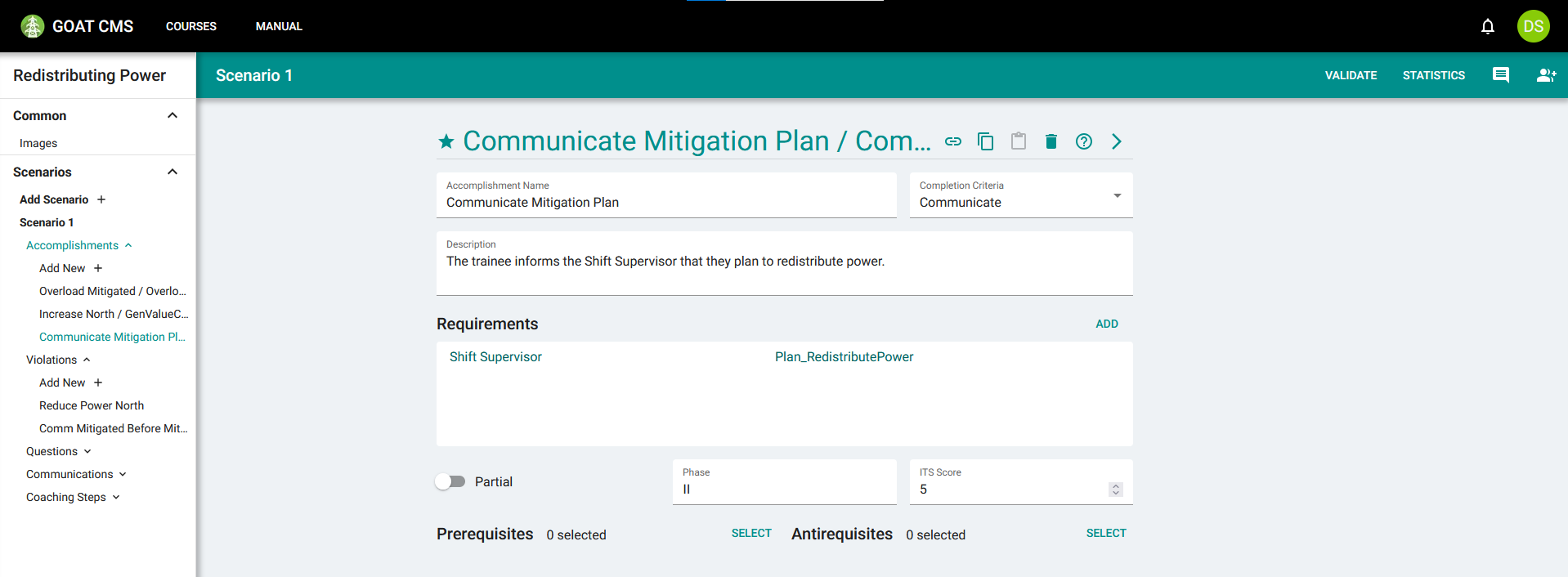
The simplest case of a skip violation is when the trainee fails to perform Action A before performing Action B. An example of this in our scenario is increasing power generation. The trainee should communicate to their Supervisor before doing this, to ensure there won't be any unexpected issues and that everyone is aware of the situation. To create the skip violation, you will create an accomplishment called Communicate Mitigation Plan, and then create a skip violation from that to the Increase North violation you completed in the previous tutorial.
This accomplishment should be in phase II with the Communicate criteria, and its requirement should reference the Plan_Redistribute communication you created in the previous step. Do not add Increase North as an antirequisite, as this accomplishment should always be available. You will just add a violation if they don't do it in time.
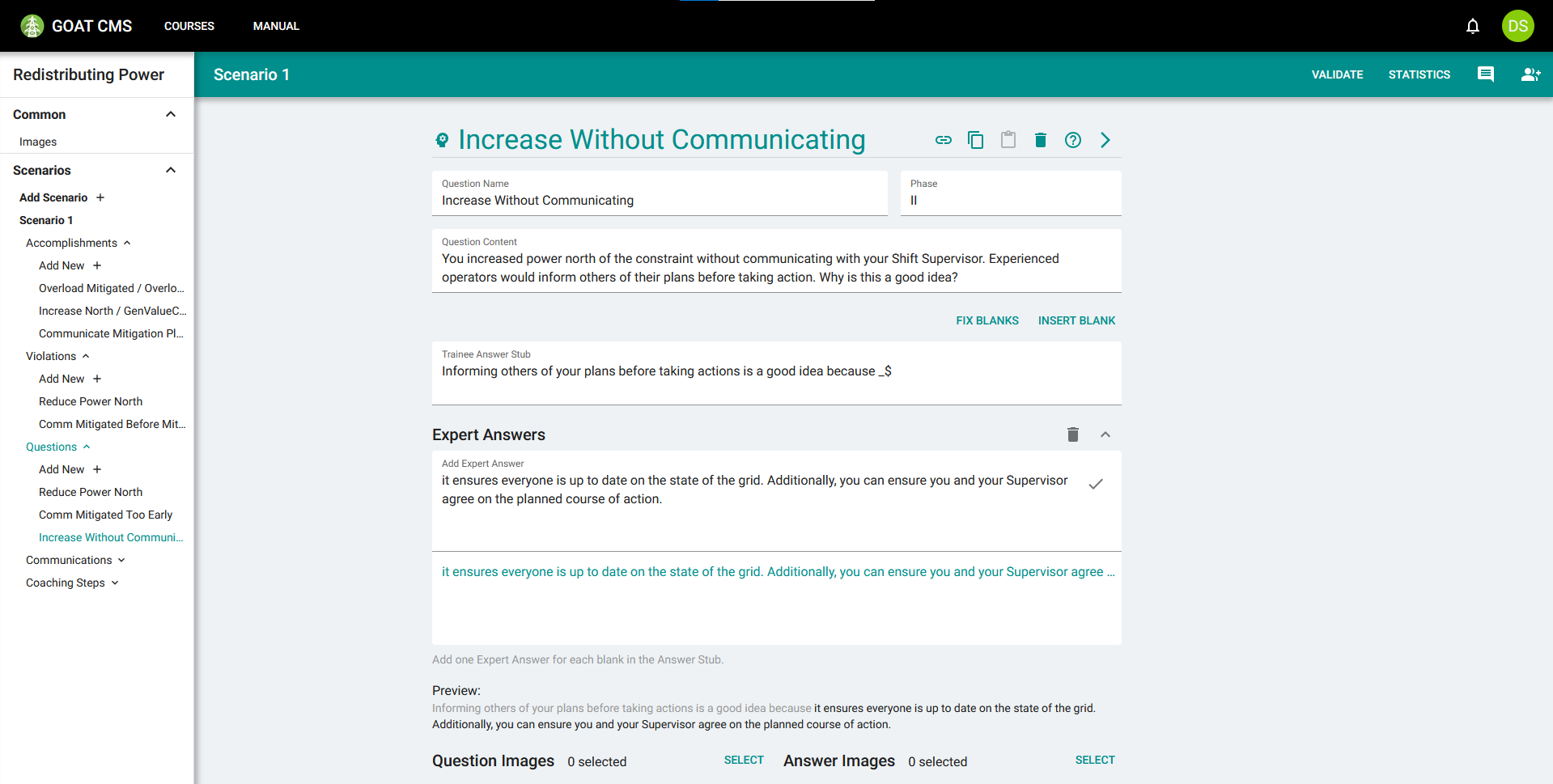
Next you will create the question and violation for the skip. Create a question, as outlined in the violations tutorial, to cover why it's not recommended to modify the grid without discussing plans.
Finally, you will create a violation to triggering this question. The violation should target the Skipped action. After selecting this action type, you will see four additional segments, for a total of five including the action type:
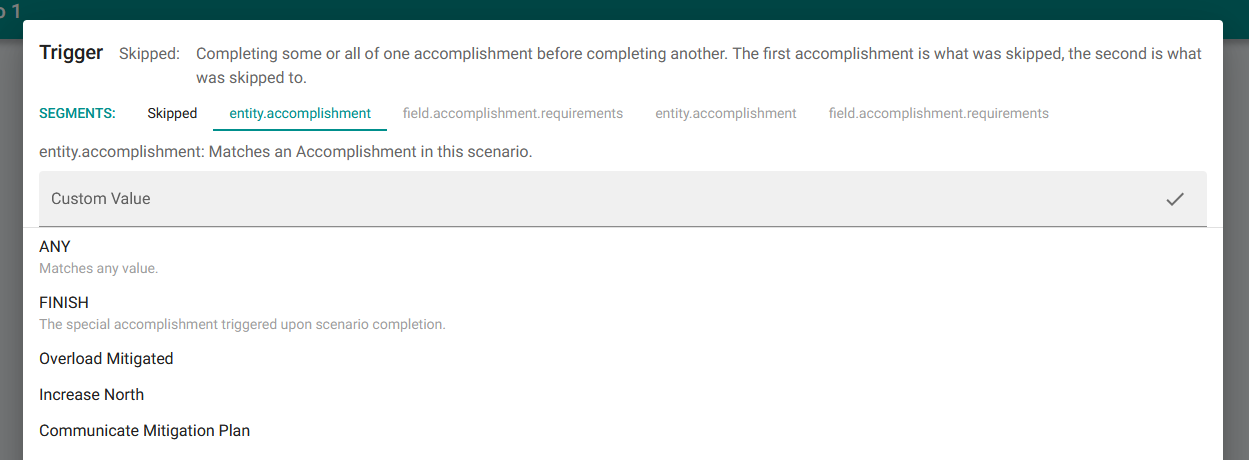
The second segment determines which accomplishment hasn't been completed, and the third segment determines which requirements on that accomplishment haven't been completed. The violation will only trigger if none of the chosen requirements have been completed. Usually this will just use the ANY substitution, meaning the skip violation will trigger when the accomplishment is incomplete (i.e. when any requirement is still not completed).
For the second segment, choose Communicate Mitigation Plan. Then for the third segment, you will choose which requirements on Communicate Mitigation Plan are skipped. Choose ANY to ensure it triggers whenever the accomplishment is incomplete.
The fourth segment determines which accomplishment was skipped to, and the fifth segment determines which requirements on that accomplishment have been completed. The violation only triggers if all of those requirements have been triggered. This will often use the ALL substitution, meaning it only triggers if the target accomplishment is fully completed.
Select Increase North for the fourth segment, so that it triggers whenever the trainee increases north without completing Communicate Mitigation Plan. Select ANY for the final segment to ensure it triggers whenever any action contributes to a power increase.
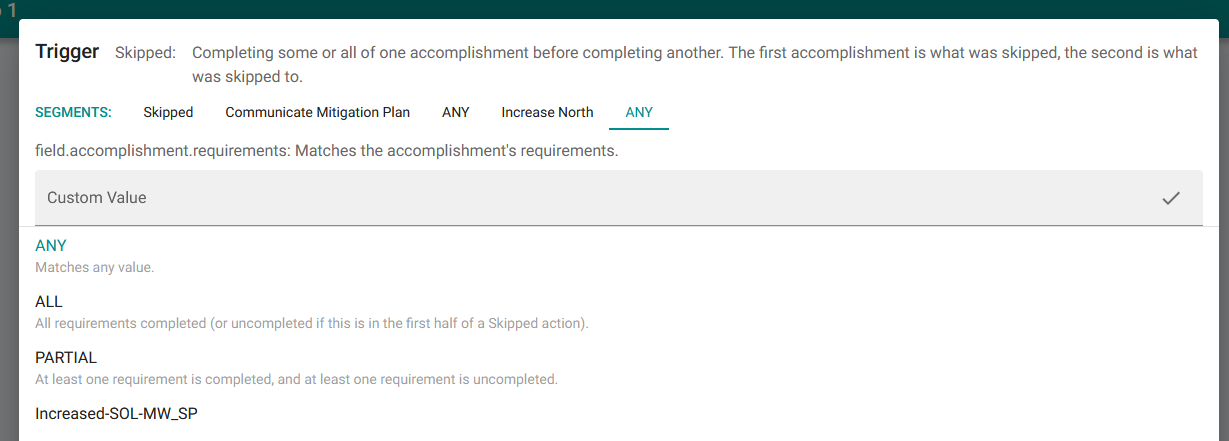
Skipping any amount of requirements on Communicate Mitigation Plan and completing any amount of requirements on Increase North.
Press Confirm to complete the trigger. The finalized violation should look like this:
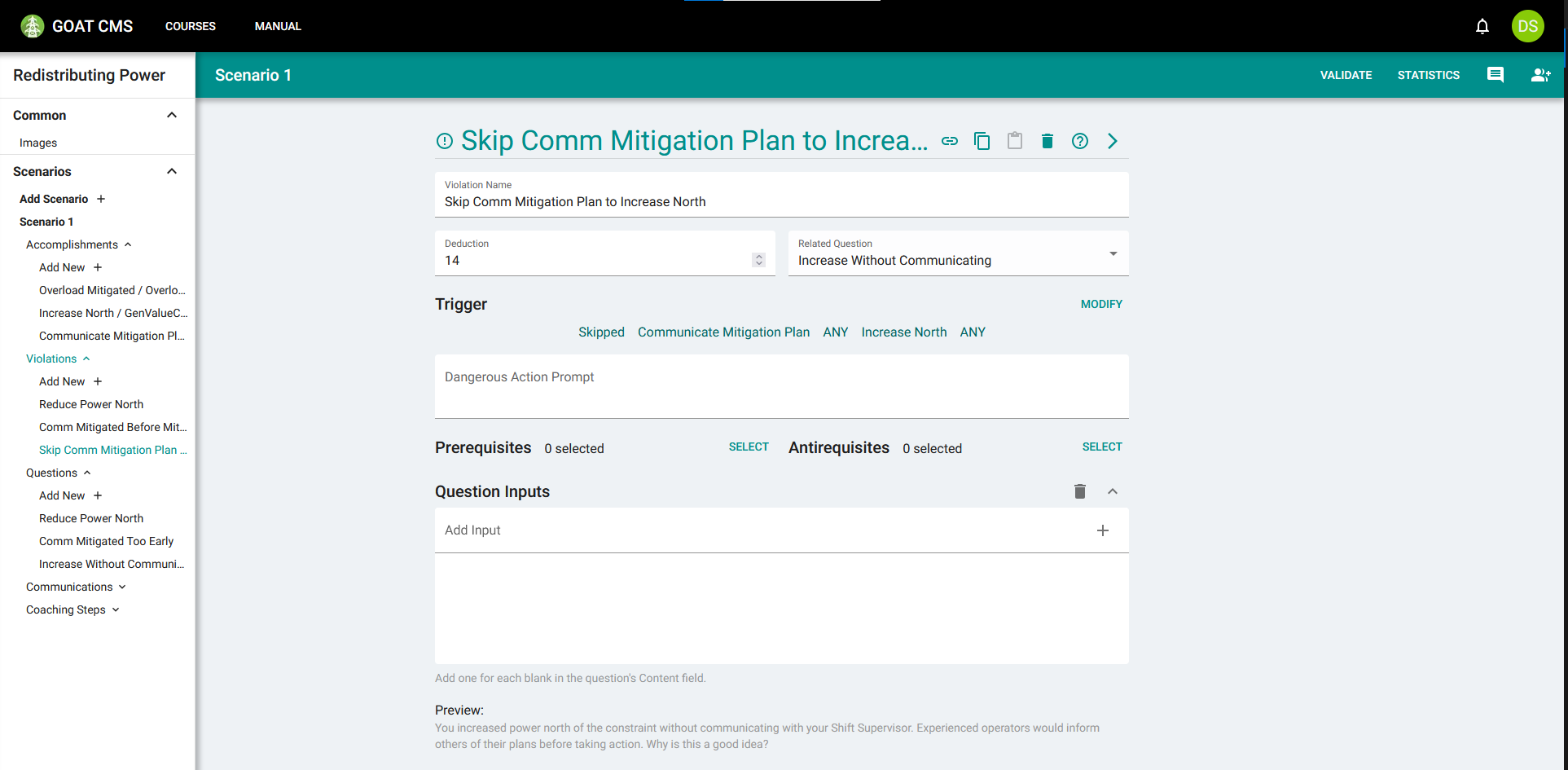
Both of these accomplishments only have one requirement, so choosing ANY or ALL makes no difference in the third and fifth segments. You will cover more complicated cases in the Using Requirements section below.
Skips to FINISH
The FINISH accomplishment is completed when the trainee is done with training, and activates the After-Action Report. By creating a skip violation to this accomplishment, you can trigger a violation at the end of the scenario if the trainee doesn't perform a type of action. This is useful if it doesn't matter when the action is performed, as long as it's performed at some point.
When creating Skipped violations targeting the FINISH accomplishment, the fifth segment should usually contain "ALL", meaning it will only activate when the FINISH accomplishment is fully completed.
For example, if you had an accomplishment called CheckACE, the violation trigger would be Skipped:CheckACE:ANY:FINISH:ALL. If the trainee ends training in one way or another without ever checking ACE, this violation will trigger.
Using Requirements
Skip violations can target specific configurations of requirements. This can be useful if you want to have different questions for missing different requirements, or give violations different penalties. As an example, you will do this for our previous skip violation. To take advantage of this feature, you will need to add another requirement to our Communicate Mitigation Plan accomplishment. The trainee should also communicate what the problem actually is, so add that as a requirement as well.
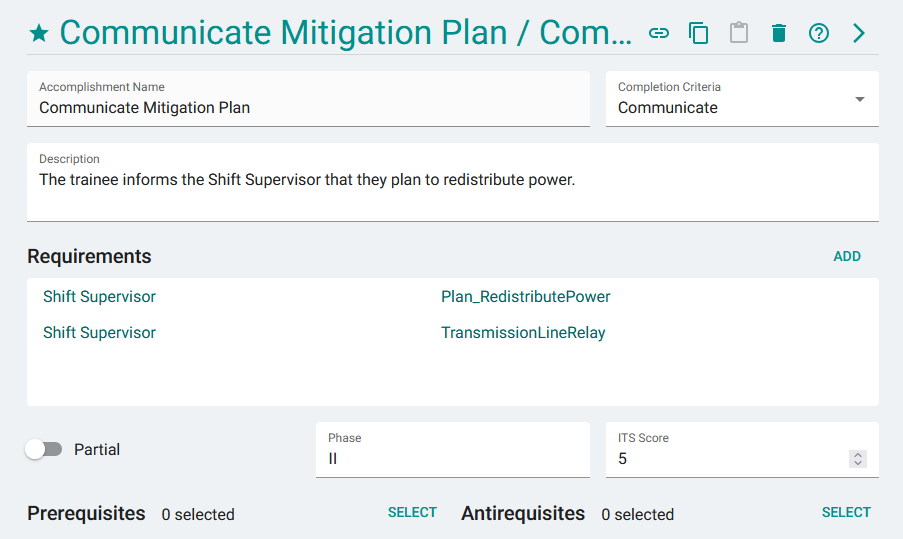
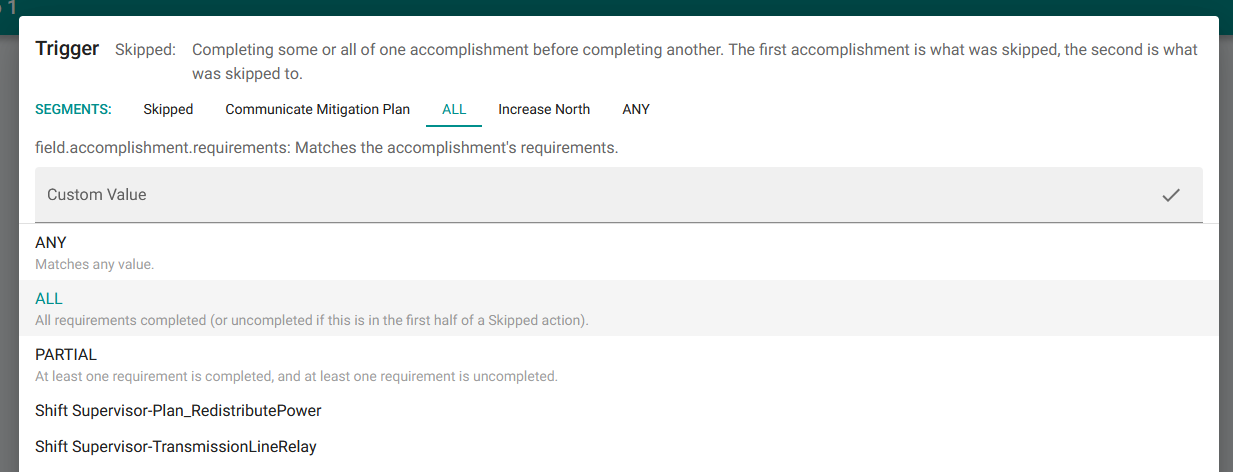
Return to the skip violation and open the trigger editor. Click on the third segment, which represents which requirements in the skipped accomplishment were not completed. Change this to ALL, so that this violation only triggers if no requirements are completed (i.e. they communicated neither about the overload nor about their plans for mitigation before jumping straight to making changes).
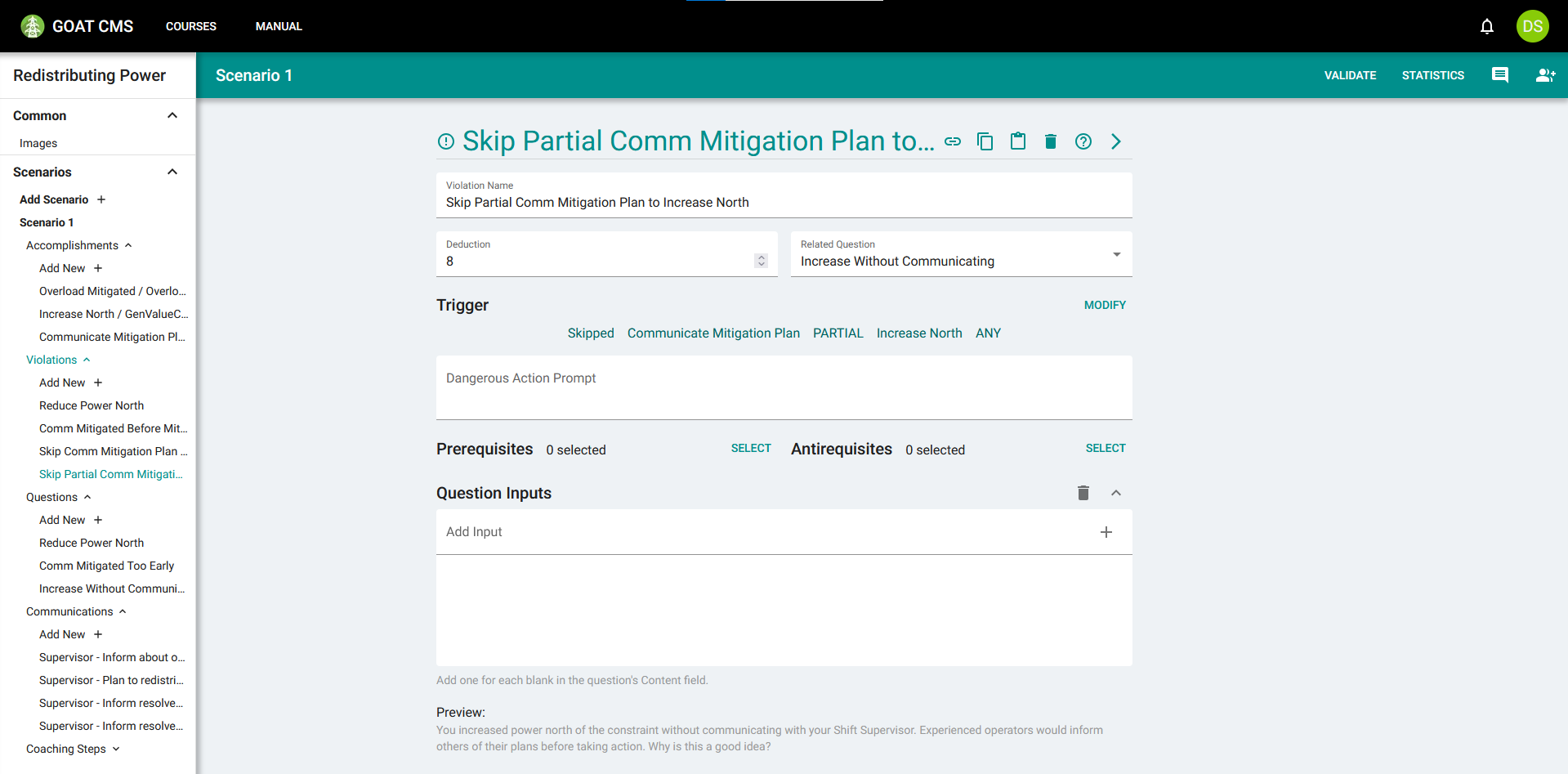
Now use the copy and paste feature (as described in the communications tutorial) to create a copy of this violation. Open the trigger editor once more and change the third segment once again to PARTIAL. This means that the violation will only trigger if at least one requirement is completed, but at least one is uncompleted (i.e. if they communicated about the overload but not their plan for mitigation, or vice versa).
Because they made some progress toward completing the step, this should have a lower deduction. The copied violation should look like this:
Now, depending on how close the trainee got to completing the Communicate Mitigation Plan milestone, different violations will trigger when skipping it. This means that the Increase Without Communication question will have different priority when triggered. There are more applications for having multiple similar violations as well, which will be covered in the question inputs tutorial.
The scenario has become quite complicated. In the next step, you will learn how to set up the What-Next Coaching module to help the trainee stay on track.