Topics
v0.7.1
Creating Communications
NOTE: This page is slightly outdated because creating an OverloadMitigated accomplishment would now require adding a check as well. Given that this page will need to be overhauled anyway when communications are reworked in the near future, this page will remain outdated for now.
Communications are a feature of GOAT that allow the trainee to send messages to others who co-manage the grid, such as their supervisor or the Reliability Coordinator. When sending a message, the trainee will receive a pre-written response supplied by the communications in the scenario. The set of available communications can change as the trainee makes progress through training. This tutorial will discuss creating communications, using accomplishments to change which communications are available, and creating violations for incorrect communications.
Creating a Communication
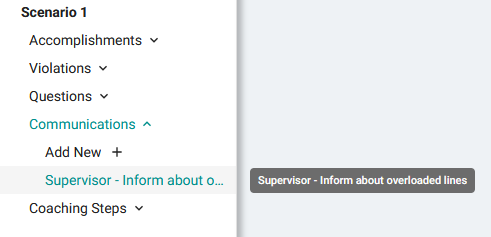
Let's create a communication option for the beginning of the scenario. The trainee should have gained Situational Awareness by looking at the stations with alarms. They must now inform their Supervisor of what the problem is and how they plan to address it. Create a new communication called Supervisor - Inform about overloaded lines.
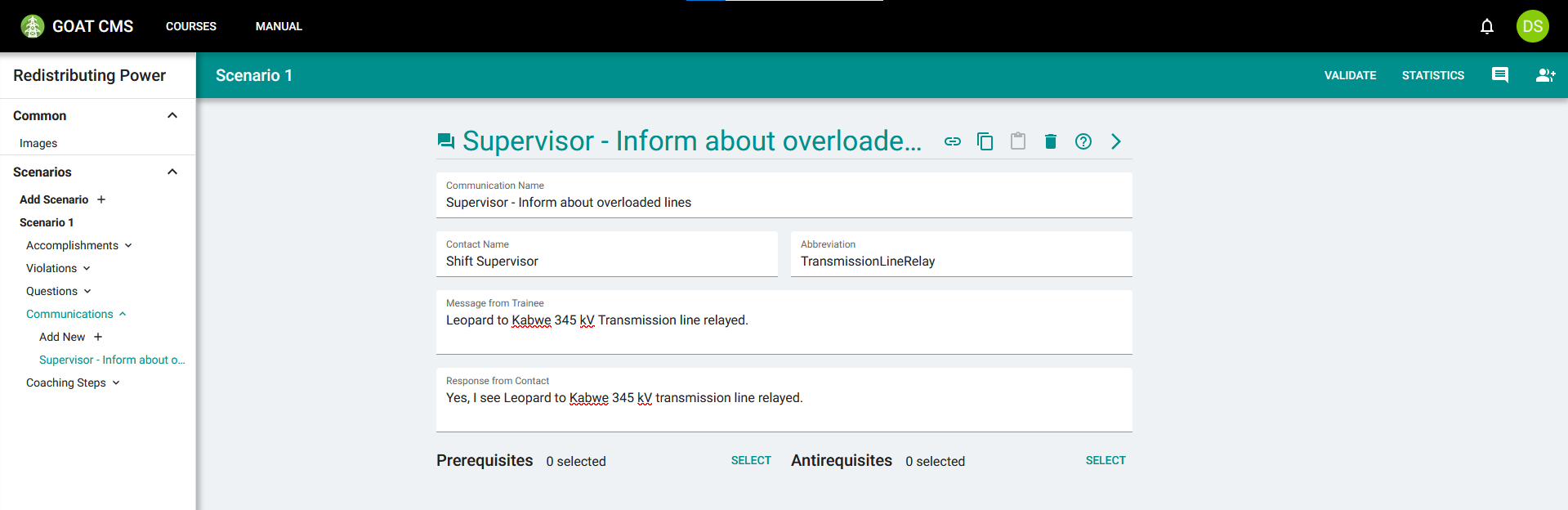
This is a message to the Shift Supervisor, so type that in the Contact Name field. The Abbreviation is a brief identifier for this message. This is used in the action string created when the trainee performs this communication, tracking exactly which message they sent. All Communications with the same message should use the same abbreviation, even if the contact and response differ. For this communication, choose the abbreviation TransmissionLineRelay.
For the message, fill in some text that the trainee could say to effectively inform the contact of exactly what the issue is. It should be concise enough to fit in just a few short lines, but detailed enough to still be helpful. After filling in the message, write a response from the contact to confirm what the trainee is seeing.
Leave Prerequisites and Antirequisites blank for now. Your communication should look something like this:
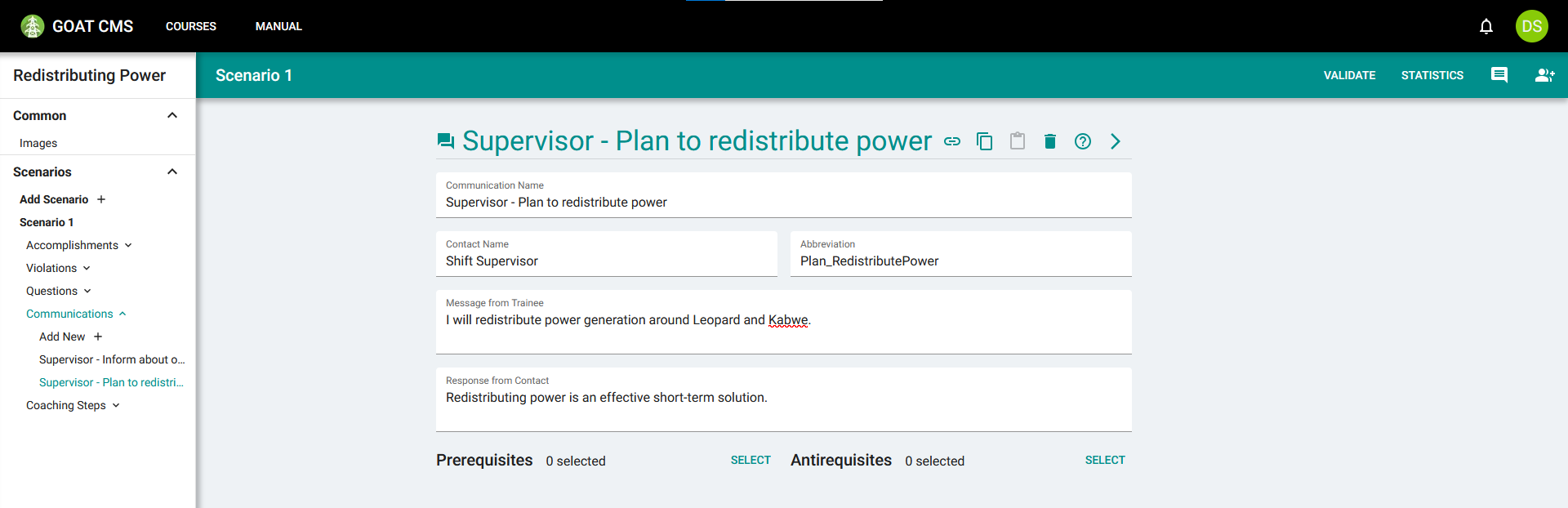
After telling others about the problem, the trainee should communicate their plans for fixing it. Create another communication with the Shift Supervisor where the trainee describes their plan to redistribute power, and the Supervisor agreeing it's the best course of action.
Switching Between Communications
As the trainee progresses through the scenario and performs certain actions, some communications should stop being available. Additionally, other communications should become available, or change which responses they offer. For example, if the trainee can tell the contact that the overload is resolved, they should receive a different response based on whether or not it actually is.
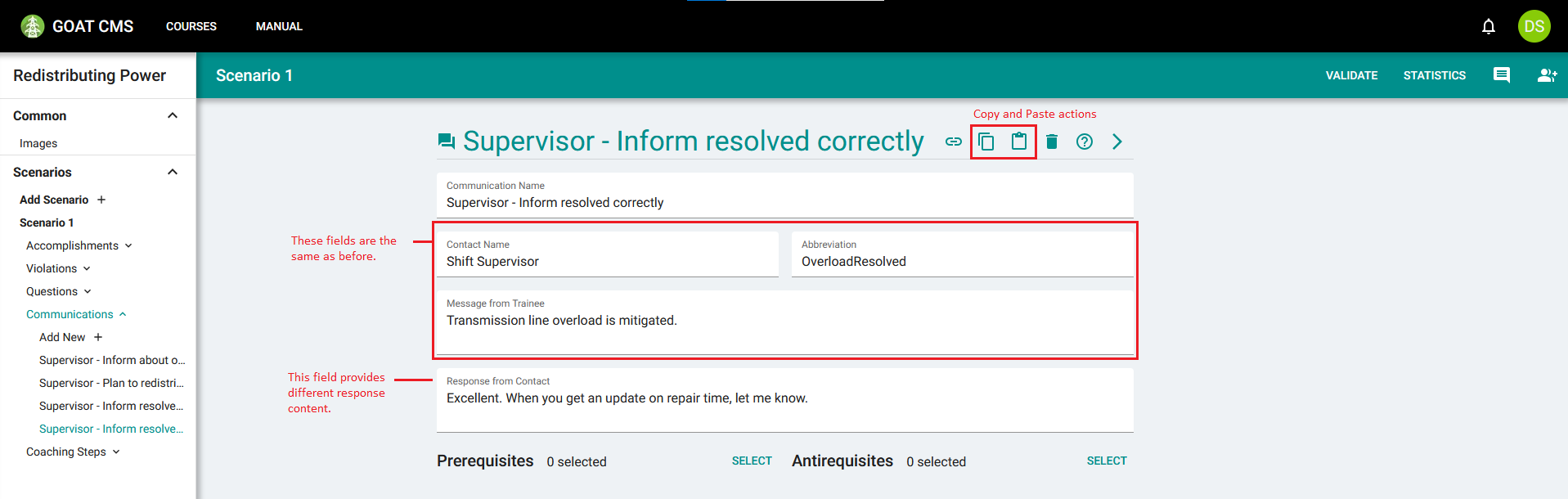
Let's use that as an example. Create a communication called Supervisor - Inform resolved incorrectly. This should be a message to the Shift Supervisor saying that the overload has been mitigated. The response should say this is not the case.
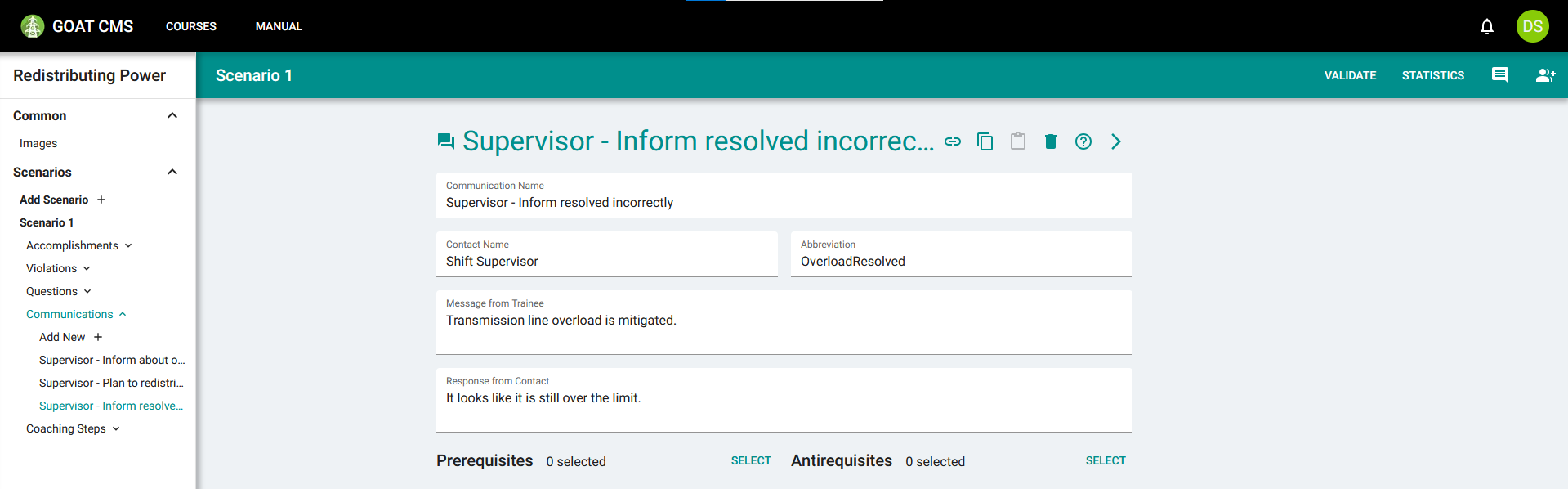
Use the Copy Values button in the action bar to copy this communication. Create another communication, and use the Paste Values button to fill in the same values from the previous communication. Update the response field to confirm that the overload is mitigated.
Currently, all of these communications can appear at the same time. This will likely lead to a confusing experience for the trainee.
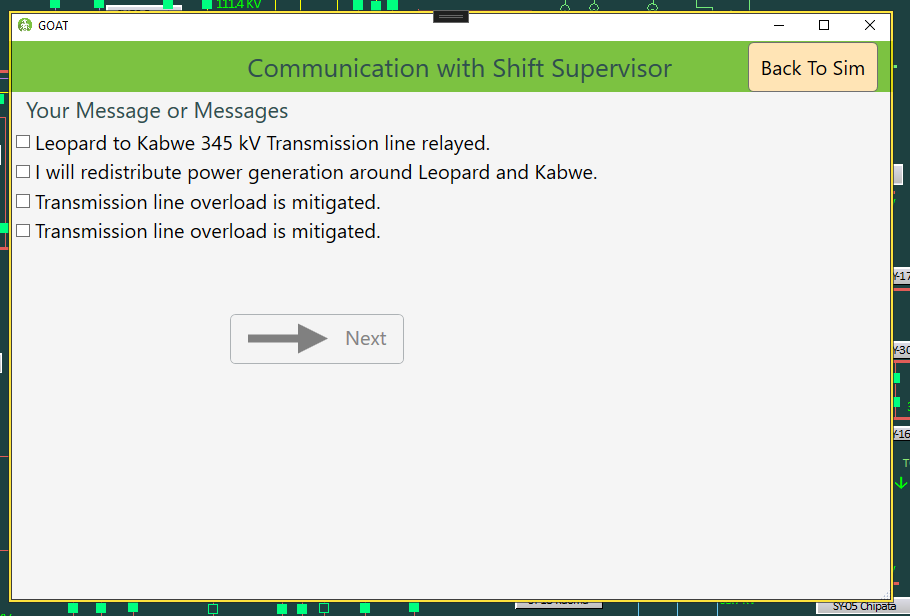
Not all of these are relevant at the start of training, and having two seemingly-identical options at the same time is confusing.
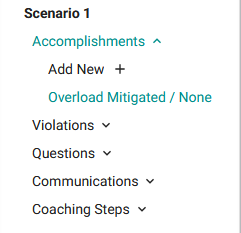
To fix this issue, you must create an Accomplishment and use it to change which communications are presented as options. Create an Accomplishment called Overload Mitigated to represent the milestone of mitigating the overload between Leopard and Kabwe.
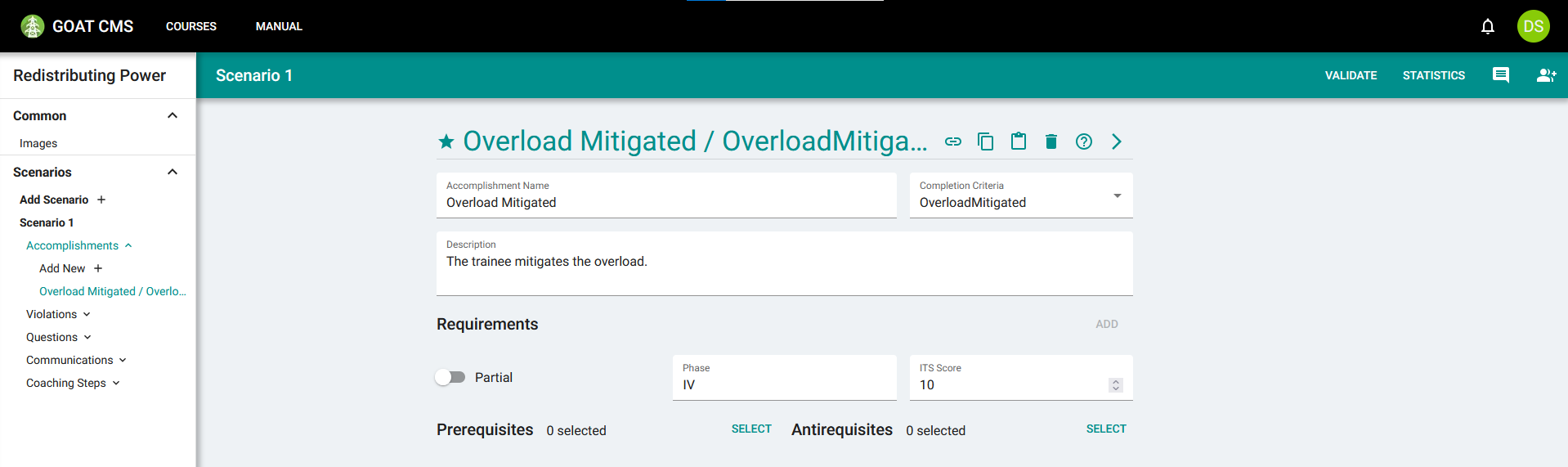
This accomplishment should have the OverloadMitigated completion criteria, meaning it will be activated when GOAT detects the overload as being resolved. Give it a description and optionally an ITS score. Assign it to phase IV, which is relevant to the mitigation process. Do not assign prerequisites or antirequisites, because this should always be able to be activated.
The next step is to connect this accomplishment to the communications. Navigate back to the Supervisor - Inform resolved incorrectly communication, and select the Overload Mitigated accomplishment as an Antirequisite:
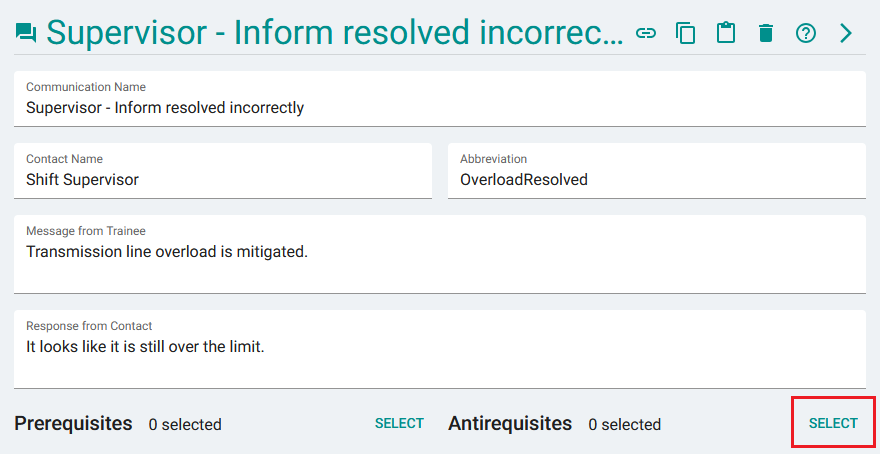
Press this button to select antirequisite accomplishments.
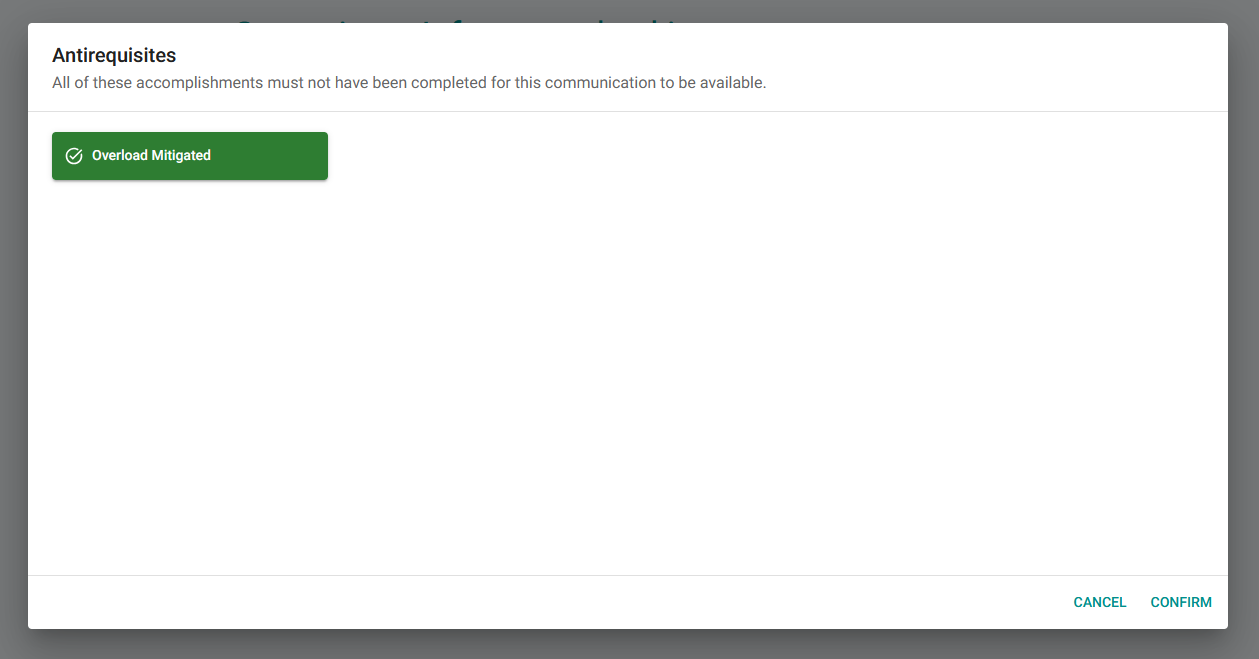
Click the accomplishment's name to select it, and then click Confirm.
By selecting this as an antirequisite, it will only be presented as an option when the Overload Mitigated accomplishment has not been reached. Save the communication and navigate to the other one you created, which gives a correct response. Add the Overload Mitigated accomplishment as a prerequisite to ensure it's only displayed when the accomplishment has been reached.
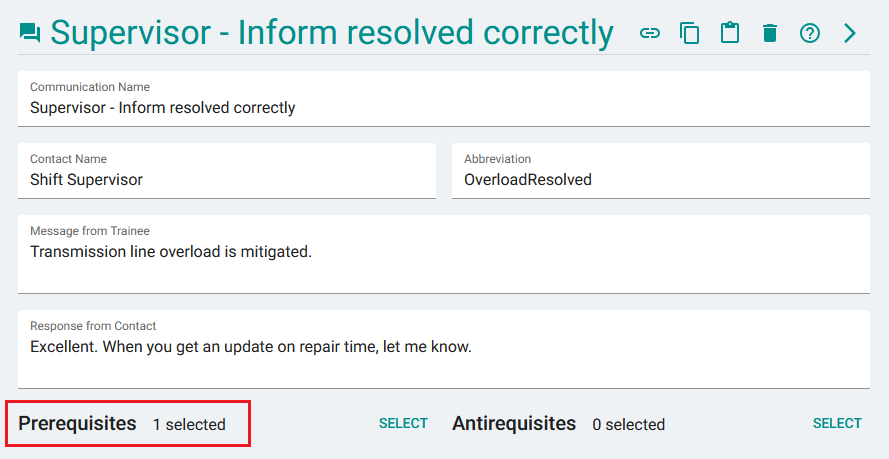
The Overload Mitigated accomplishment has been added as a prerequisite.
Now this communication will only be presented when the Overload Mitigated accomplishment has been reached. The result of this is that the trainee can only ever see one version of this communication at a time.
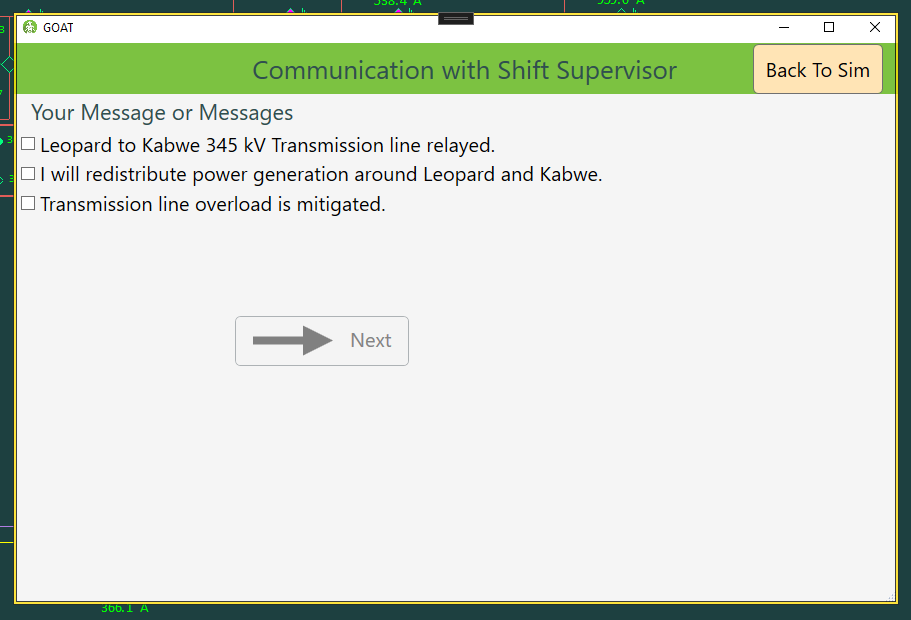
If the communication is made when the overload is not yet resolved, they will see the response that tells them the transmission line is still overloaded.
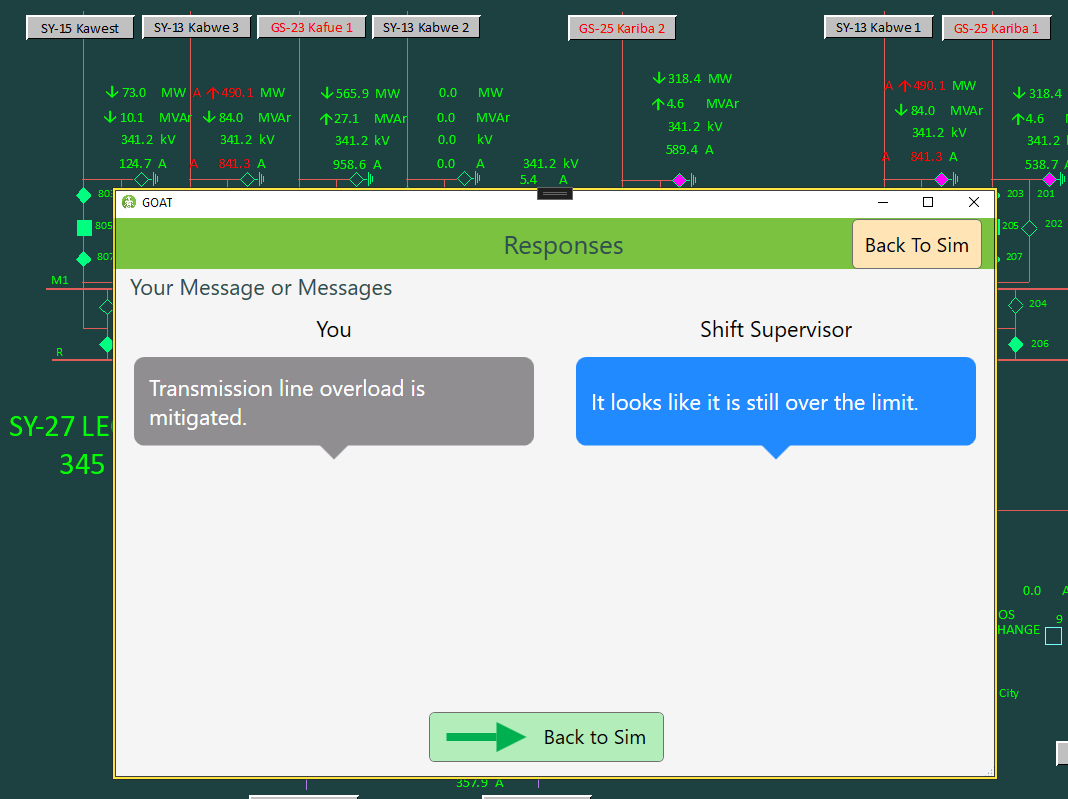
Above the communication window you can see alarms, indicating these two lines are still above limits.
Once the overload is resolved, the Overload Mitigated accomplishment will trigger. At this point, the communication is switched, and the trainee will see the new response if they select it.
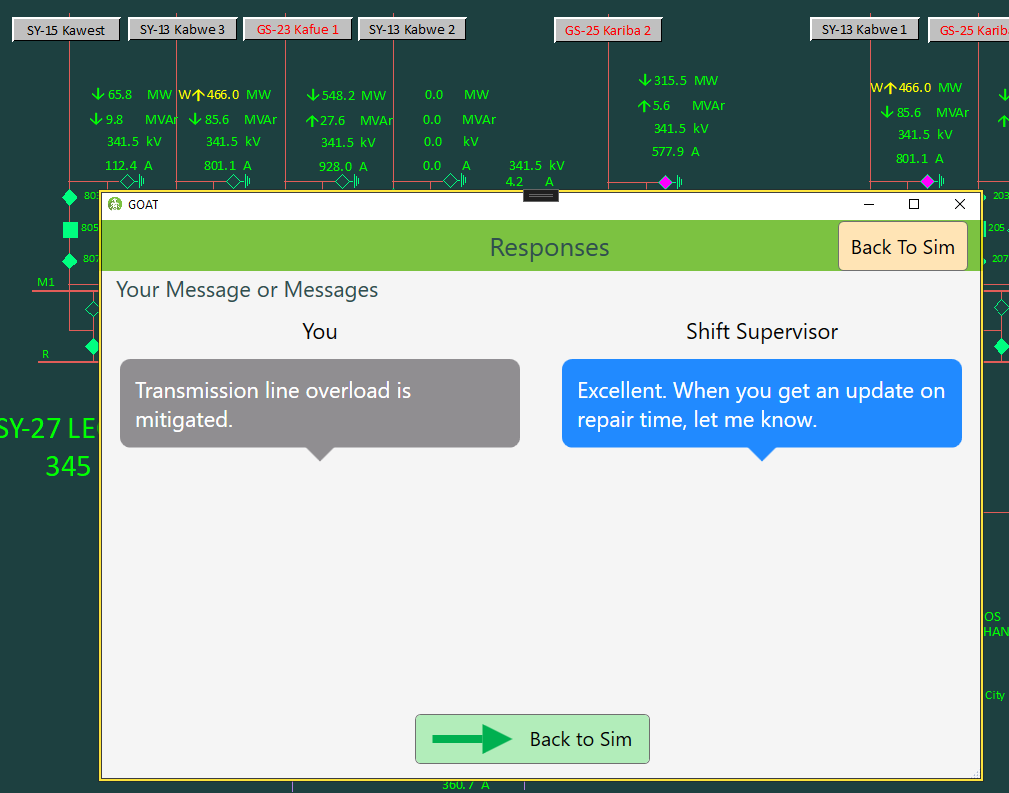
The alarms are gone because the lines are no longer above the limits, meaning the overload is mitigated. The updated response reflects that.
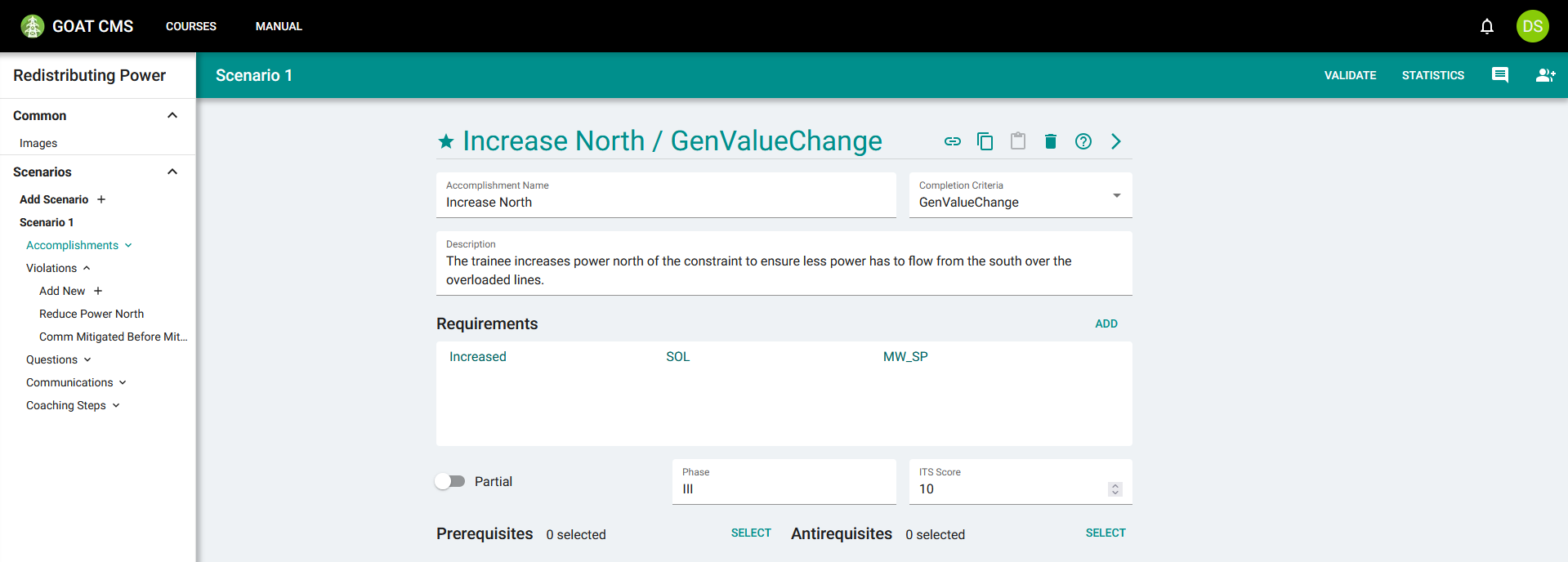
Repeat this process to create an accomplishment in phase III for increasing power north of the constraint. To detect an increase in power, you will need to use the GenValueChange criteria. This criteria differs from OverloadMitigated in that it supports requirements, which are a way to determine exactly which actions can complete the milestone.
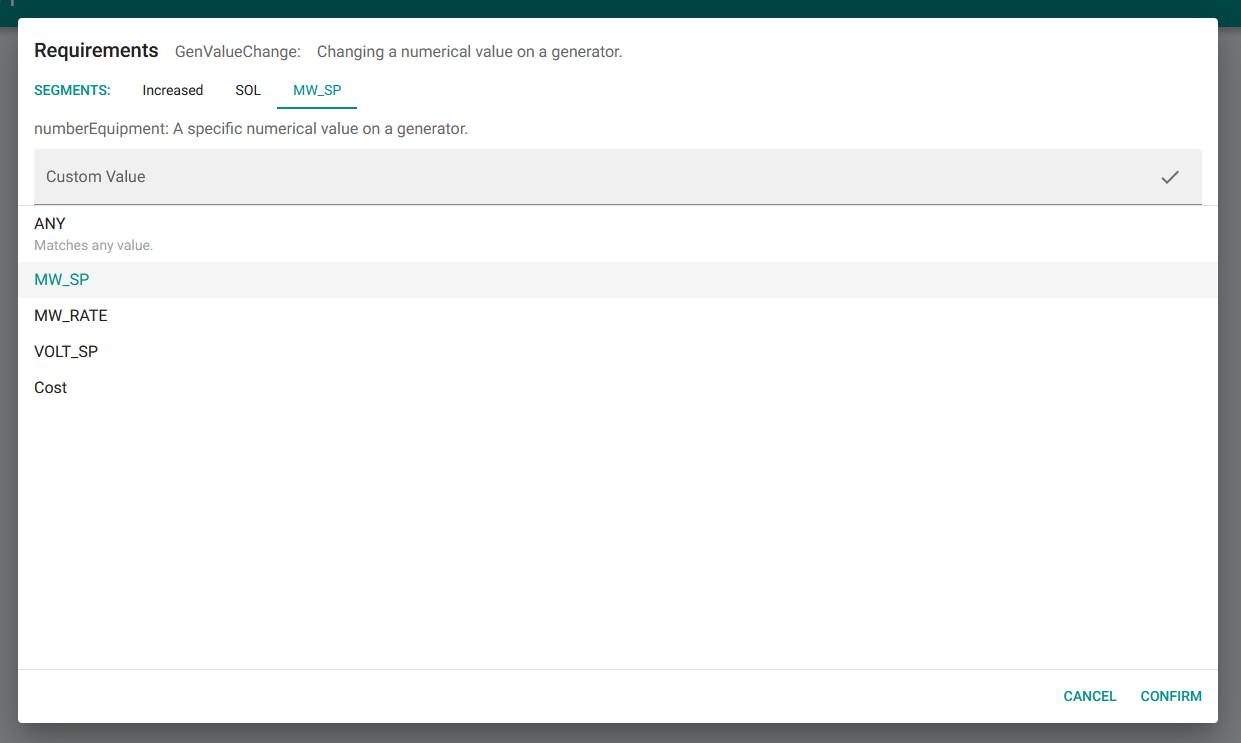
Requirements are constructed similarly to violation triggers—see the Violation Triggers page for a tutorial on how to construct those. Requirements for the GenValueChange criteria have 3 segments: the direction of the change, the targeted generator, and the targeted equipment. Select Increased for the direction, the SOL substitution to match an increase on any solution-target generator (which were designated as the northern generators), and MW_SP for the equipment to match the MW output setpoint.
The accomplishment should look similar to this:
Add this accomplishment as a prerequisite to both OverloadResolved communications, so that it only appears as an option if they have done something to contribute to the overload being resolved. Add the accomplishment as an antirequisite to the first two communications as well.
Communication Violations
Not all communication is helpful. If the operator has an incorrect understanding of the state of the grid, they could share misleading information. For example, if the trainee communicates that the overload is resolved before it actually is, this can be dangerous. Everyone involved with the utility needs an accurate understanding of its status. Communicating in this way should cause a violation.
As you saw in the previous tutorial, creating a violation first requires a question. Create a question in phase V called Comm Mitigated Too Early to help the trainee understand why this is bad. The trainee will see this as an option for communication, but is expected not to select it.
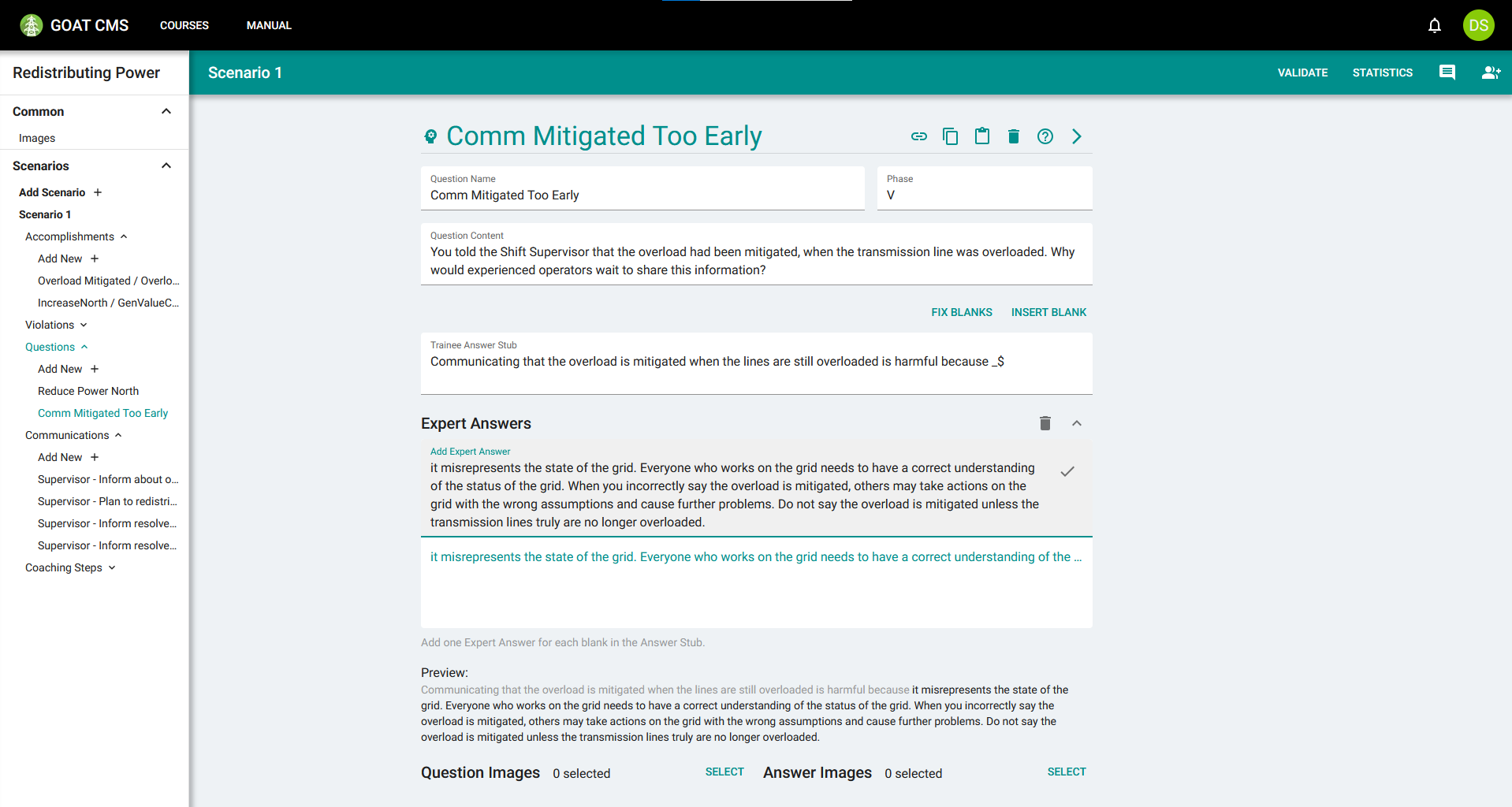
Create a violation to activate the question. When building the trigger, you will use the Messaged action type to detect the incorrect communication. You should see "Shift Supervisor" listed as a contact option, and "OverloadResolved" as a message abbreviation option, which are automatically pulled from the communications you created in the scenario.
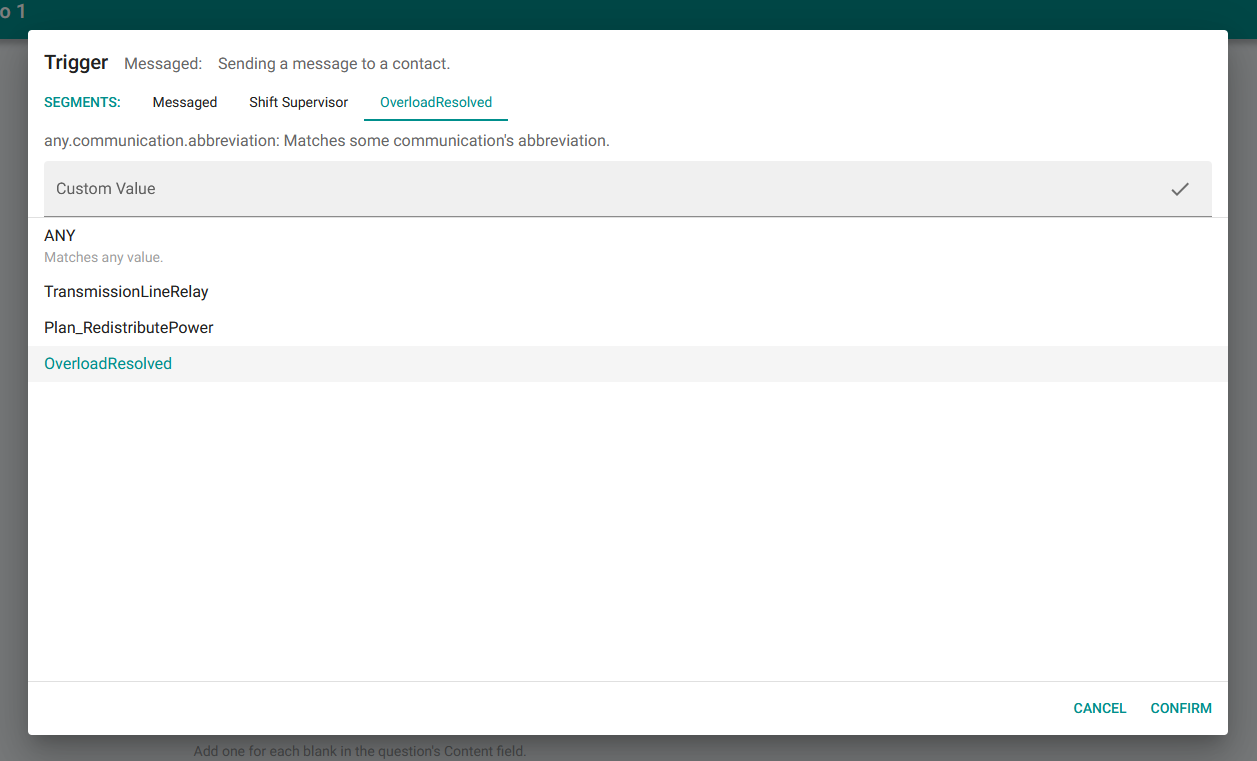
You may notice that OverloadResolved only appears in the list once, even though two communications have this abbreviation. This is because they represent the same message, just being sent at different times.
You may leave the Dangerous Action Prompt blank. This action isn't immediately dangerous, and the Shift Supervisor's response gives the trainee immediate feedback anyway. You should add our Overload Mitigated accomplishment as an antirequisite to ensure that this violation only triggers if they communicate at an incorrect time.
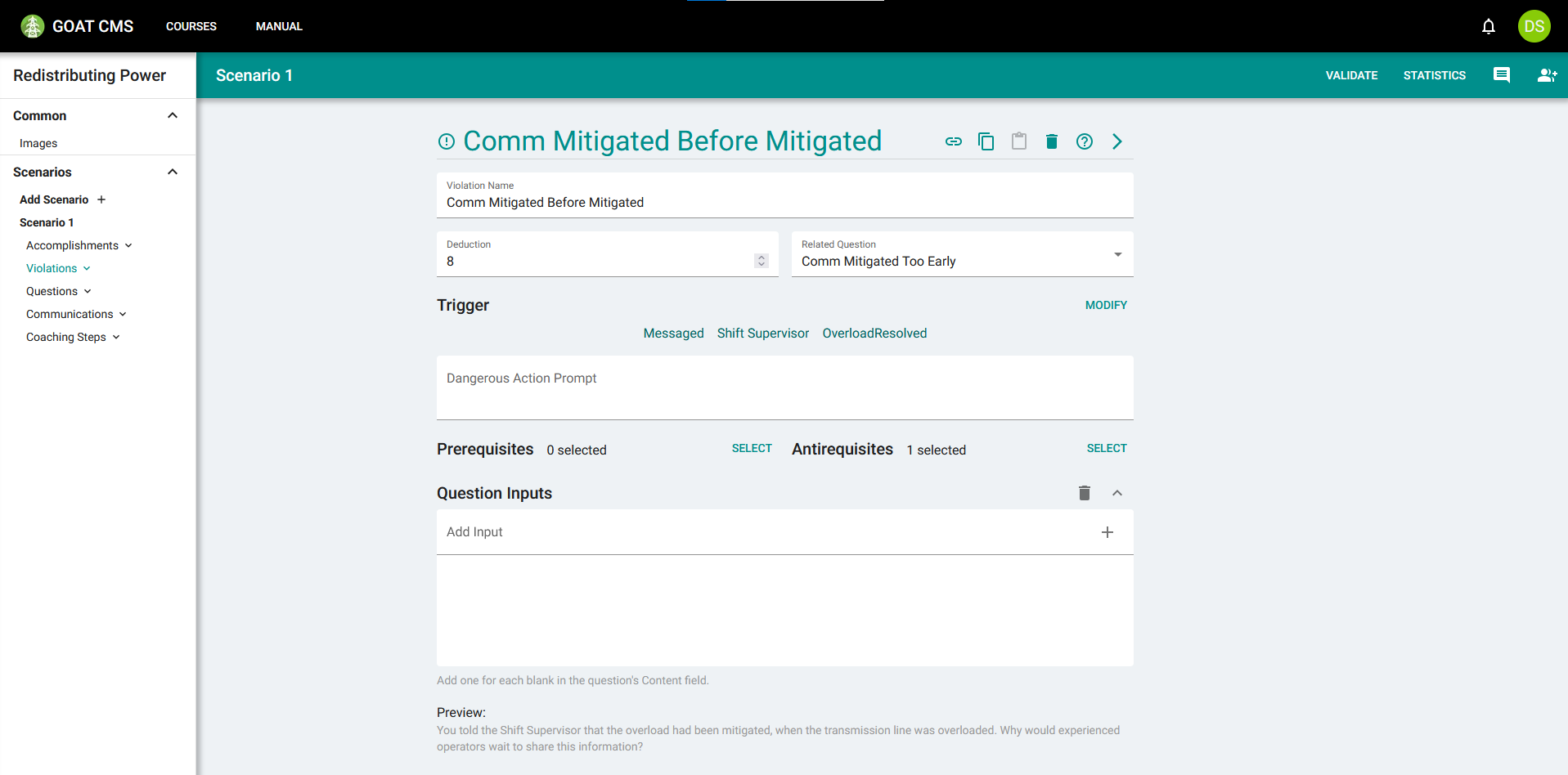
Now if they communicate that the overload is resolved when the transmission lines are still overloaded, it will trigger a violation, and a question will appear in the After-Action Report to set the trainee on the right track.
In the next tutorial, you will learn how to create "skip violations" to detect when the trainee misses an important step.