Topics
v0.7.1
Creating Question Inputs
In the Skip Violations tutorial, you created two violations that reference the same question. These violations were almost identical, except that they had slightly different activation conditions and came with different deductions, which results in two slightly different ways of activating the question. This feature can be taken even further, and slightly modify the question itself based on which violation is triggered.
Question Inputs
To allow violations to modify question content, you can add Question Inputs to the question's Content field. Question inputs are denoted by a dollar sign followed by an integer ID, like this:
You $1 power $2 of the constraint.
This content contains two inputs, meaning each violation must provide two substitutions to be filled into the content. One violation might provide the inputs "increased" and "south", and another might provide the inputs "decreased" and "north". Depending on which of the two violations is triggered (and if both are triggered, which has the higher deduction), the question's content will change with these inputs inserted, and become a complete sentence:
You increased power south of the constraint.
You decreased power north of the constraint.
Inputs in the question's content can appear out of order or multiple times, but they must not skip any numbers. For example, the following content is valid:
You took action $2 of the constraint. You $1 power $2 of the constraint.
If the first violation is triggered, that will be formatted like this:
You took action south of the constraint. You increased power south of the constraint.
However, the following content is not valid, as it marks an input as $4 but skips #3:
You $1 power $2 of the constraint. Experienced operators would instead $4 power $2 of the constraint.
Here is an example of a violation providing values to fill in a question's inputs:
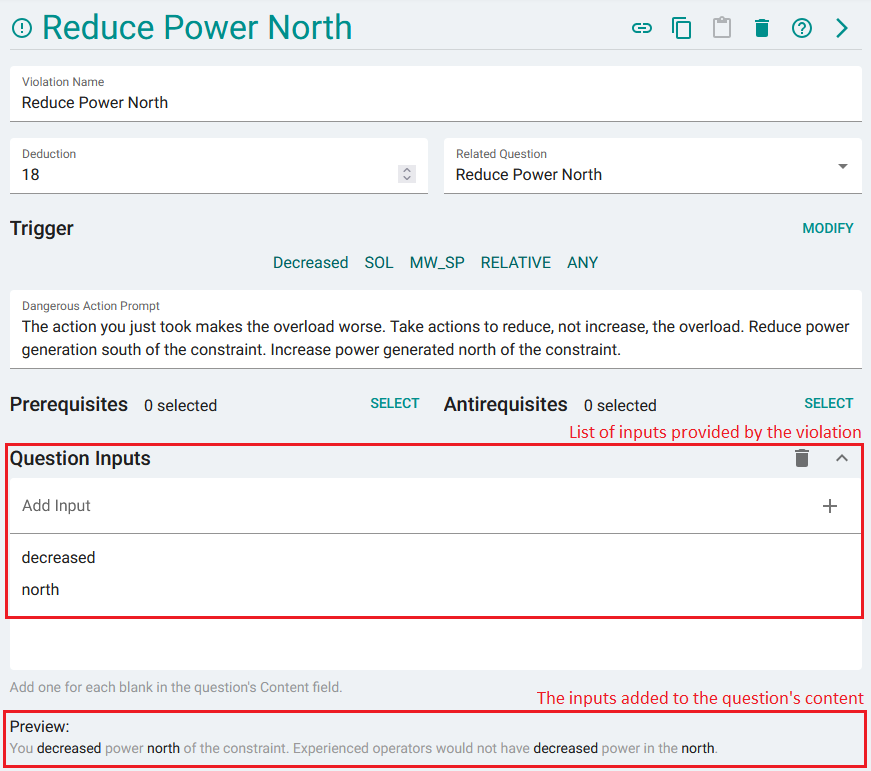
This violation is providing two inputs. Below the list of inputs, you can see them formatted into the question content.
Advantages
Question Inputs can theoretically be avoided entirely by creating a duplicate of the question for each violation that references it, and then changing the content manually. However this is suboptimal for the following reasons:
- The questions would be identical apart from their Content fields, so any changes to the question would have to apply to all copies of the question.
- Each question can only be displayed once. By having multiple similar questions that differ only by the content field, the trainee may see more than one copy of the question depending on how training is set up. This can be confusing or frustrating, and prevent other questions from appearing if the question limit is reached.
Creating a single Question with inputs specified by violations circumvents these issues.
Question Setup
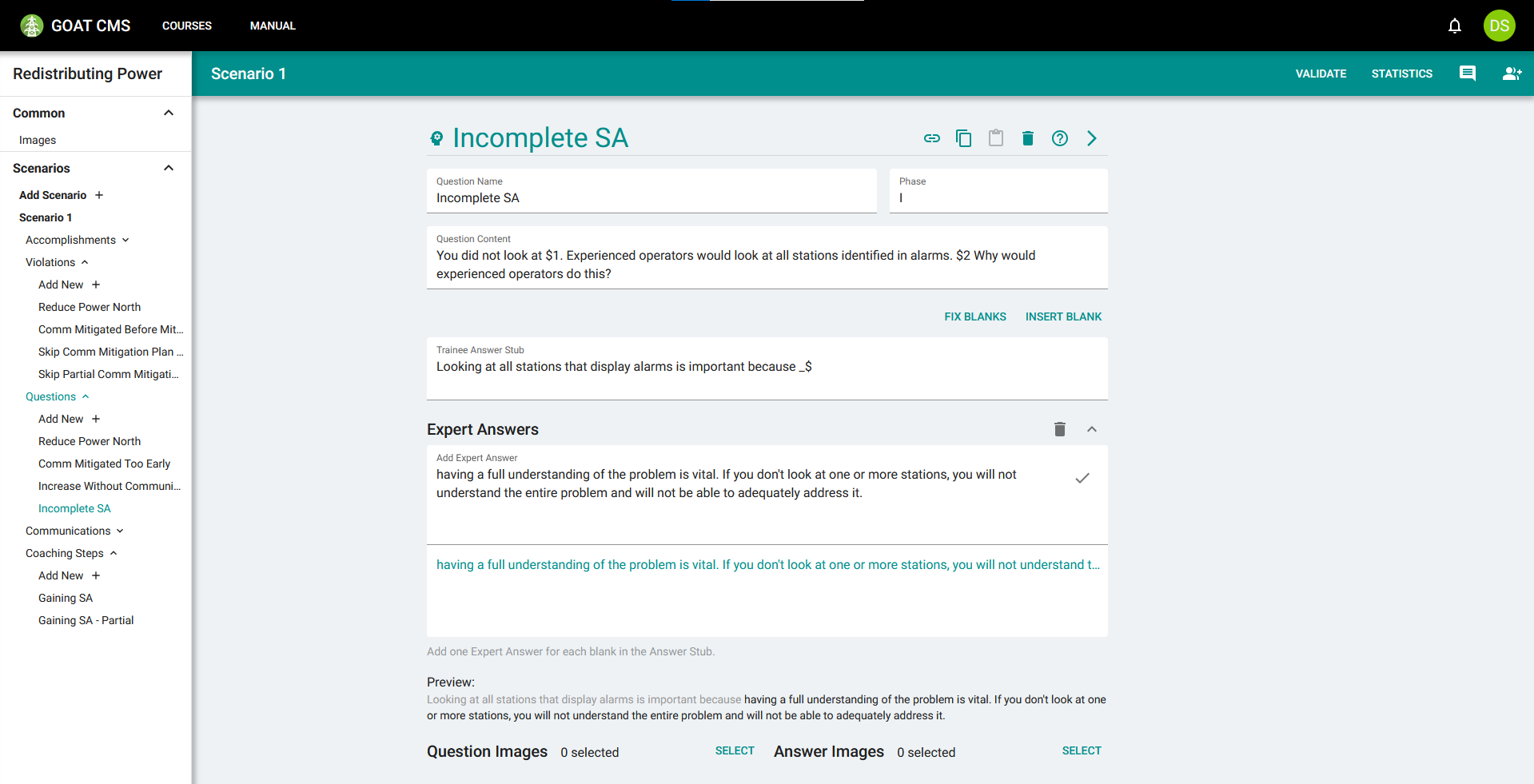
To demonstrate this feature, you will create a question for if the trainee does not gain Situational Awareness by looking at station line pages. Create a question called Incomplete SA in phase I which will be displayed if the trainee does not look at one or more stations. Add an input to the content field to be replaced with the station lines they didn't look at, and another for the ones they did look at:
You did not look at $1. Experienced operators would look at all stations identified in alarms. $2 Why would experienced operators do this?
Fill in the answer stub, expert answers, and possibly images accordingly. The question should look like this:
Violation Setup
Next, you will create 3 violations attached to this question. The violations will be skips from the Gain SA accomplishment created in the What-Next Coaching tutorial to the FINISH accomplishment, meaning they will trigger if the trainee finishes training without having ever completed that accomplishment.
Start with the violation that triggers when they do not look at either station. Assign a large deduction along with the question you created in the previous step. When building the trigger, select Gain SA for the skipped accomplishment, and then ALL for the skipped requirements, to signify that this should only trigger if all requirements are skipped (no stations are looked at). Select FINISH and then ALL for the second segment to ensure this triggers at the end of the training.
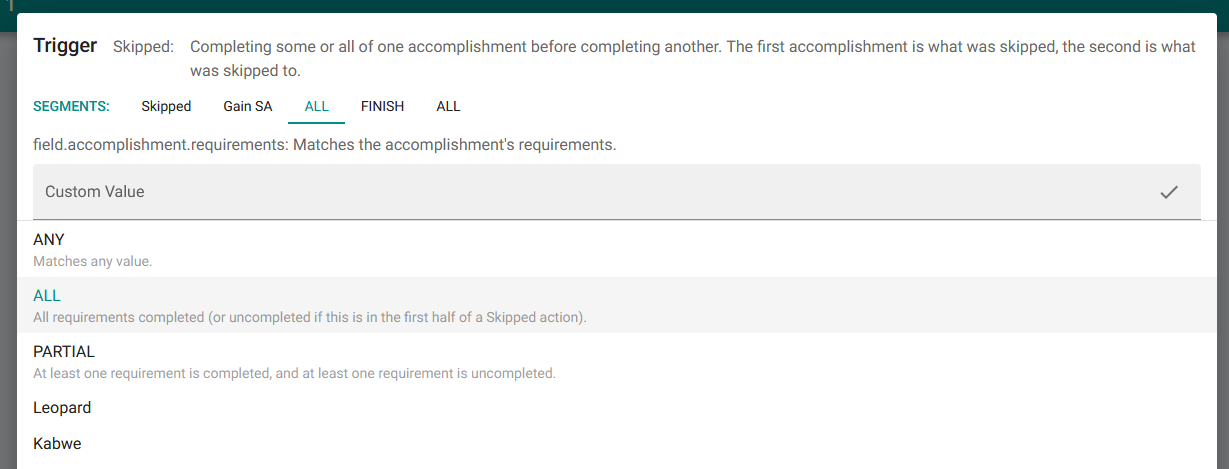
The resulting violation trigger should be Skipped:Gain SA:ALL:FINISH:ALL
Next, you should fill in the Question Inputs. In the list at the bottom of this page, add something to be filled into each input in the Question's content. You can see the question's content in the Preview section below the input, which will be formatted with your answers as you add more.
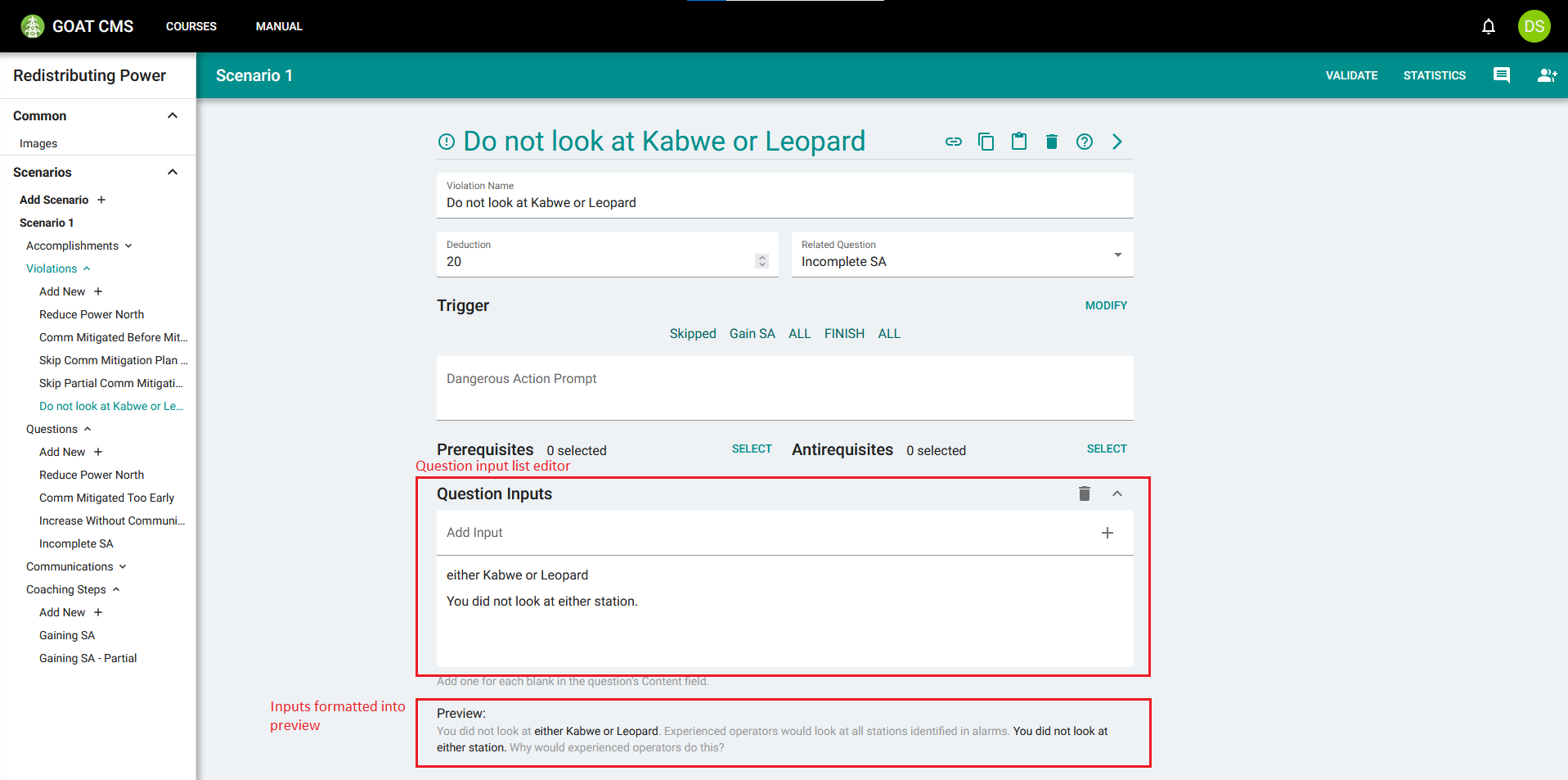
The question's content has two inputs, so two items should be added to the list.
Duplicate the violation using the copy and paste feature. The second violation will be created for skipping looking at Kabwe, but still looking at Leopard. Give this new violation a smaller deduction, and modify the violation's trigger. The third segment of a Skipped action denotes which requirements were skipped. Select only Kabwe, which means this violation will trigger when they only skip looking at Kabwe.
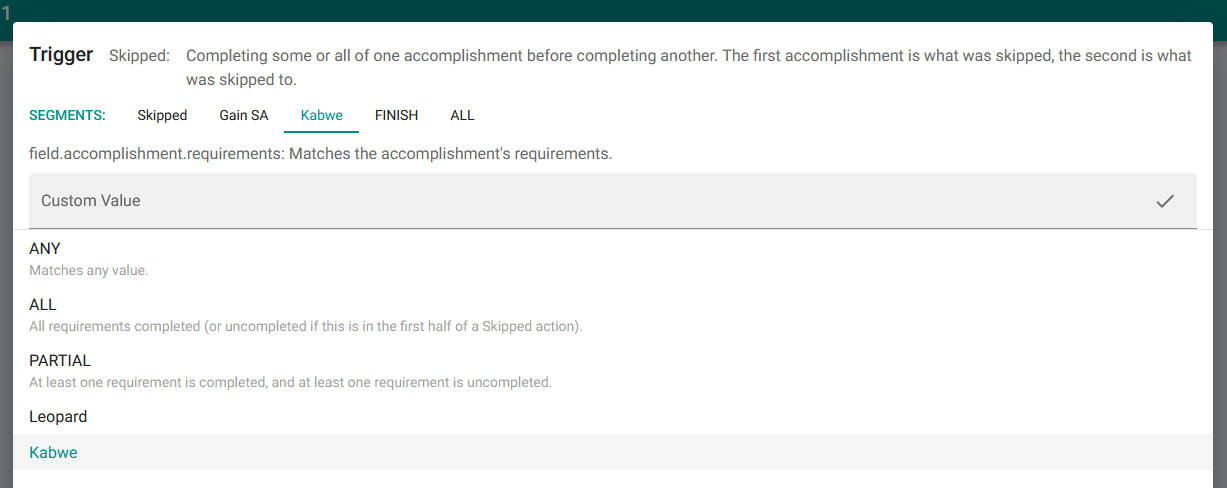
The resulting violation trigger should be Skipped:Gain SA:Kabwe:FINISH:ALL
Then, modify the inputs to highlight that the trainee did look at Leopard, but did not look at Kabwe.
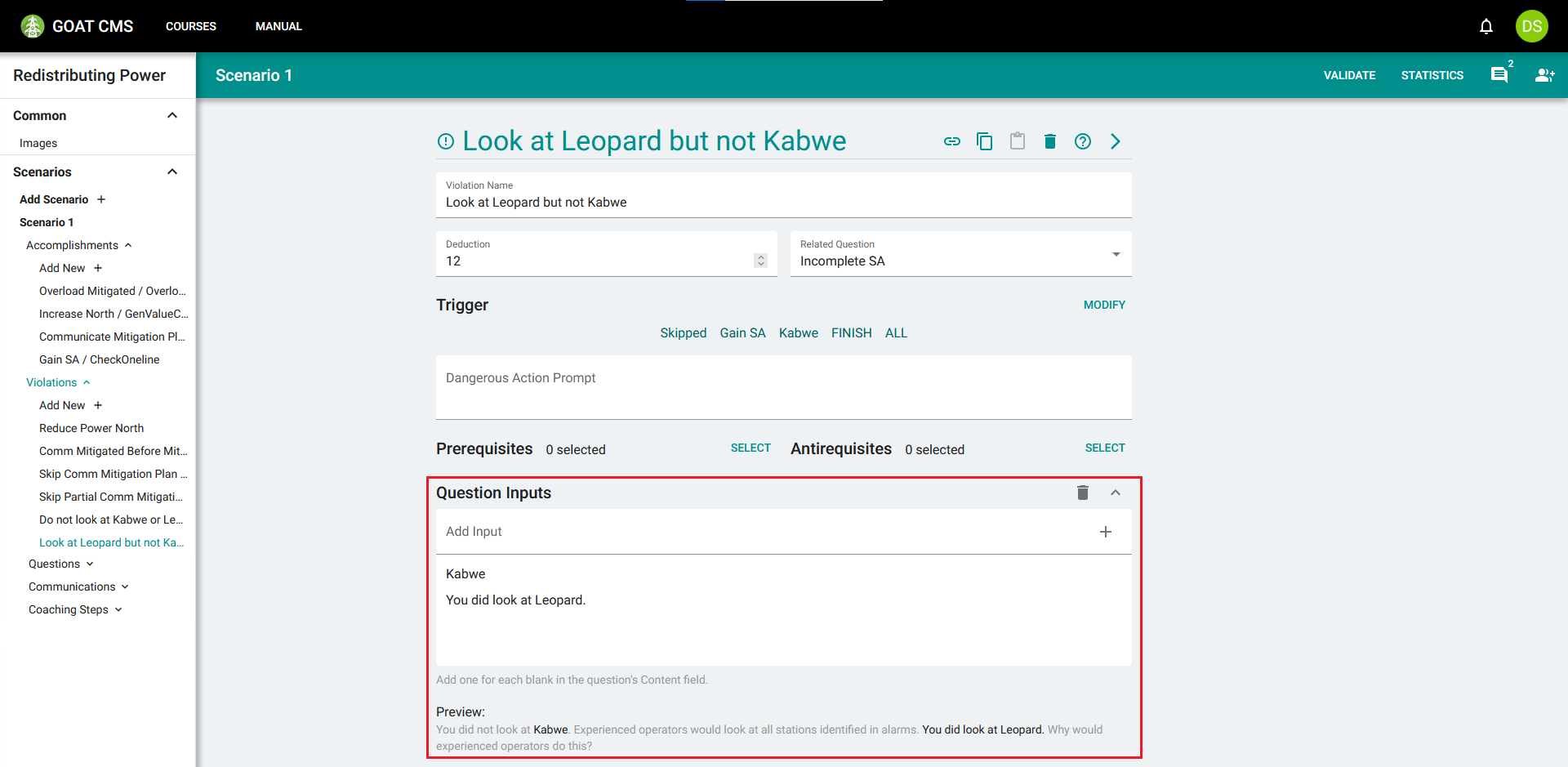
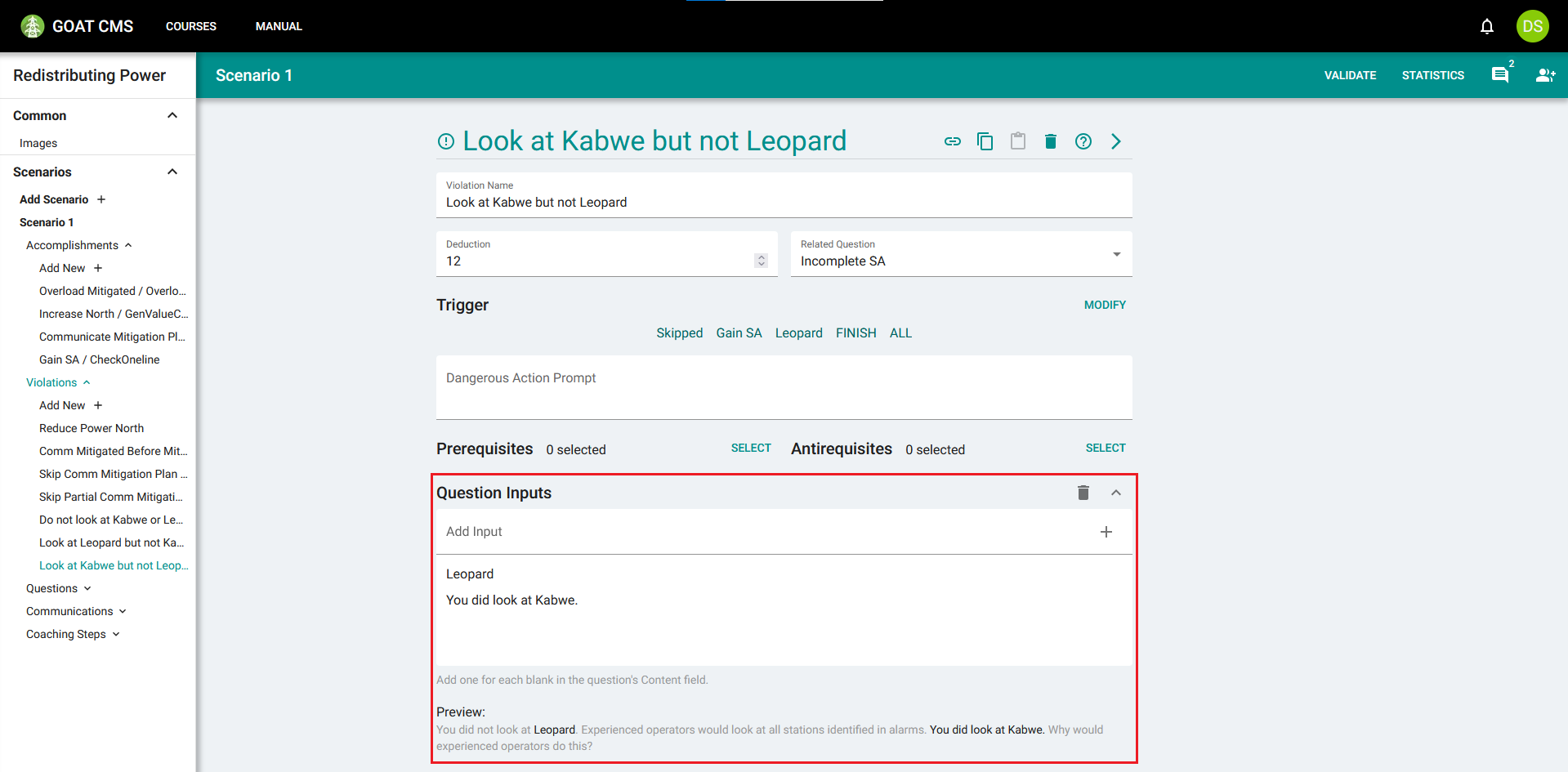
Finally, use the copy and paste feature again to create a violation for looking at Kabwe, but not at Leopard.
Running the scenario with GOAT, we can intentionally trigger this violation to see how it appears to the trainee. As you can see in the highlighted action list at the top of the window, the trainee viewed the station page for Leopard, but never looked at Kabwe. This triggers the Look at Leopard but not Kabwe violation, and so the question content is formatted with that violation's inputs.
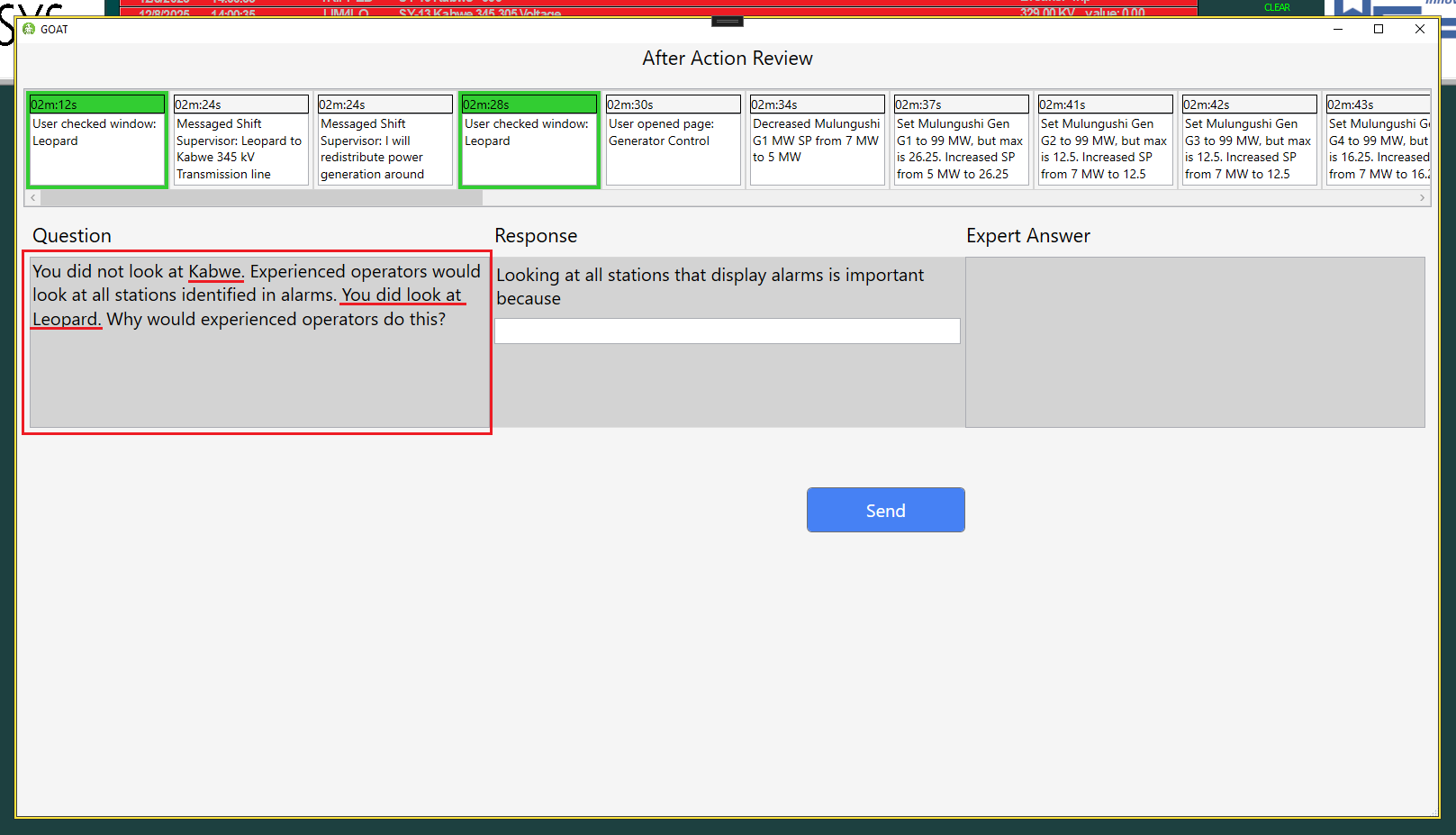
The question's content has been highlighted, and the inputs from the violation have been filled in.
In the final step, you will learn how to publish the scenario.