Topics
v0.7.1
Creating Violations
The most important part of a training scenario is the violations and questions that make up the scoring. Violations trigger when the trainee performs certain actions that might endanger the grid (or just generally not be considered good practice). Questions appear at the end of training to tell the trainee what they did wrong and help them learn why it was wrong.
Creating a Question
Instructional goals are embodied in questions presented to trainees after the simulation. Each question represents a type of incorrect action that was performed, and the content that will be shown to the trainee in the After-Action Report to ensure they know how to avoid the mistake in the future. It is generally a good strategy to create a question first to determine a type of problem, as questions do not depend on any other objects at the scenario level. After creating the question, you can create the violations and any other logic needed to make the question appear at the right time.
In the left sidebar, create a new question called Reduce Power North:
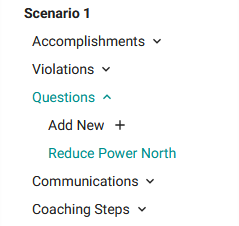
Create a question by clicking the "+ Add New" button under the Questions dropdown.
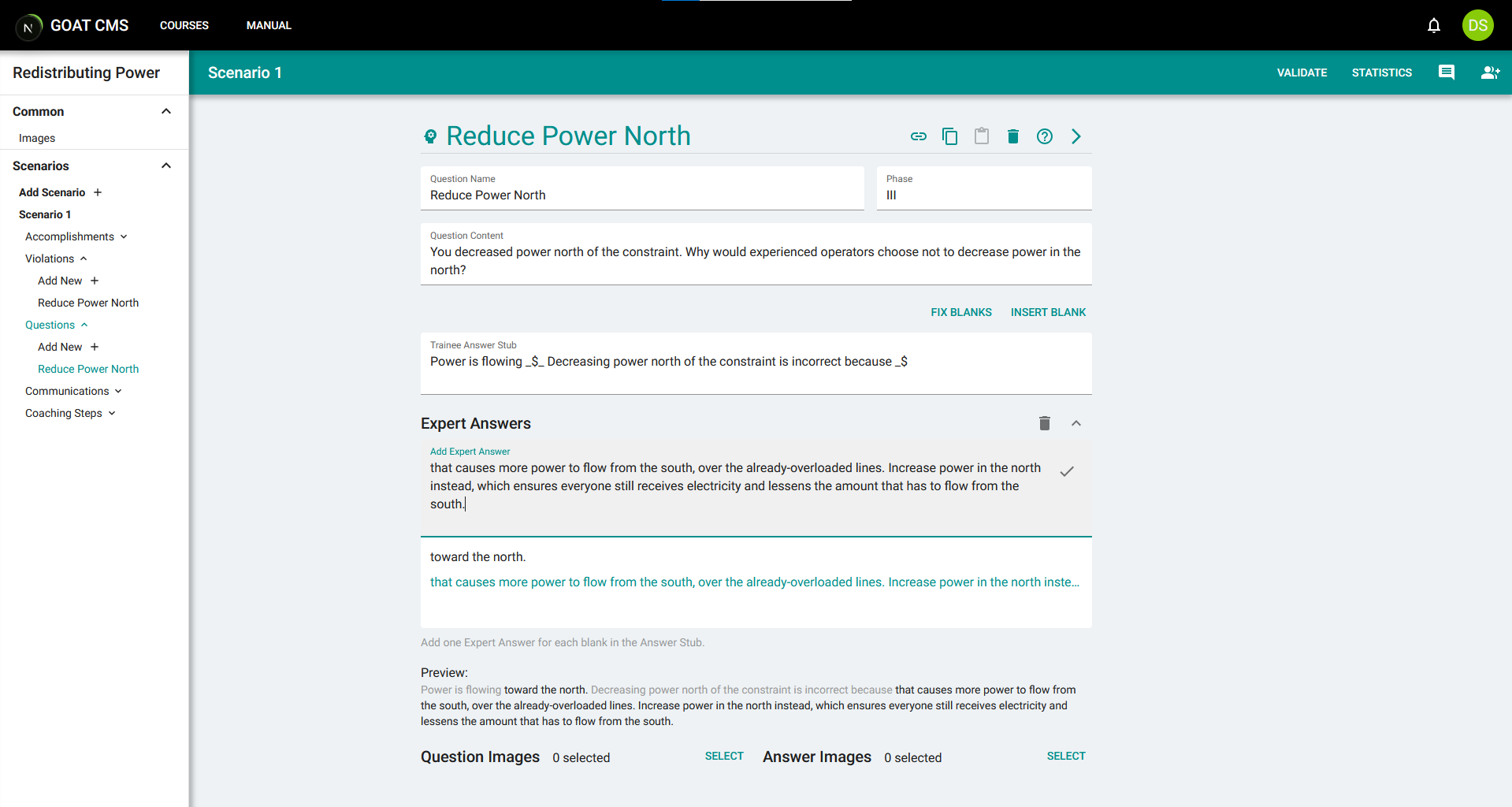
This question should be presented if the trainee reduces power generation north of the constraint. Because it's related to actions on the grid, it should be assigned to phase III. See the After-Action Report page for a description of each phase. Add question content describing the incorrect the action took, and prompting them to answer the question. Then proceed to the Trainee Answer stub. Create a fill-in-the blank prompt by using the Insert Blank button after a segment of text.

The "Insert Blank" button has just been pressed to add a blank to the stub. Blanks are represented with a dollar sign $, with underscores on either side that leads into text.
Continue filling in the stub until the trainee has been prompted to answer why their mistake was incorrect. To avoid overwhelming the trainee, do not add more than 1-2 blanks in an answer stub. After filling out the answer stub, you will write the Expert Answer, which is a response to the same questions from someone knowledgeable about why the mistake was wrong. Add one expert answer for each blank in the answer stub. You can see a preview beneath the expert answer box to check how it will appear to the trainee.
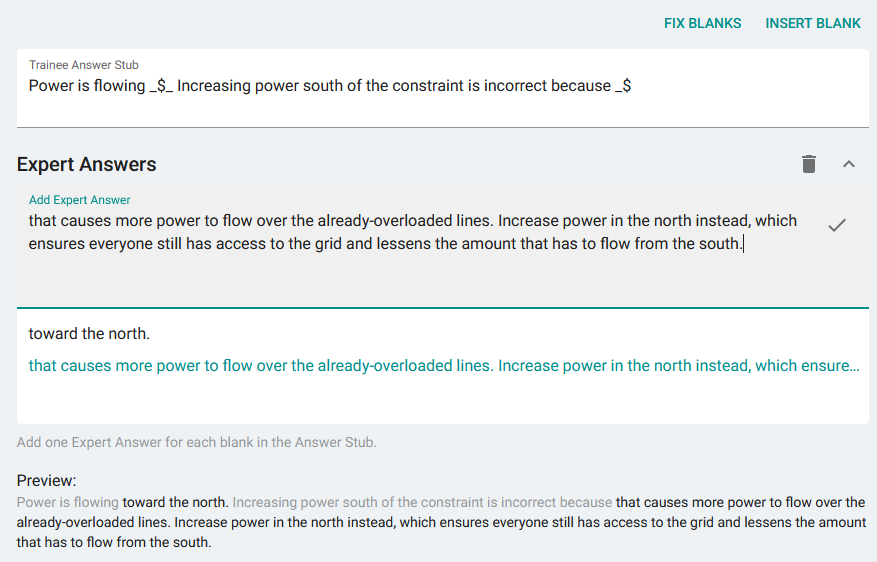
The preview shows the expert answers filled into the blanks in the trainee answer stub.
After filling in the expert answers, you can optionally attach images to the question. Images should be uploaded under the Common header on the sidebar. Question Images will be displayed when the trainee is initially presented with and is responding to the question. They will be replaced with the Answer Images after the trainee answers the question and is viewing the expert's answer. The final question should appear similar to the following:
Creating a Violation
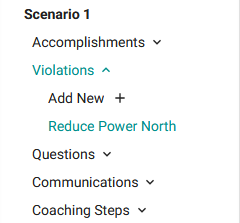
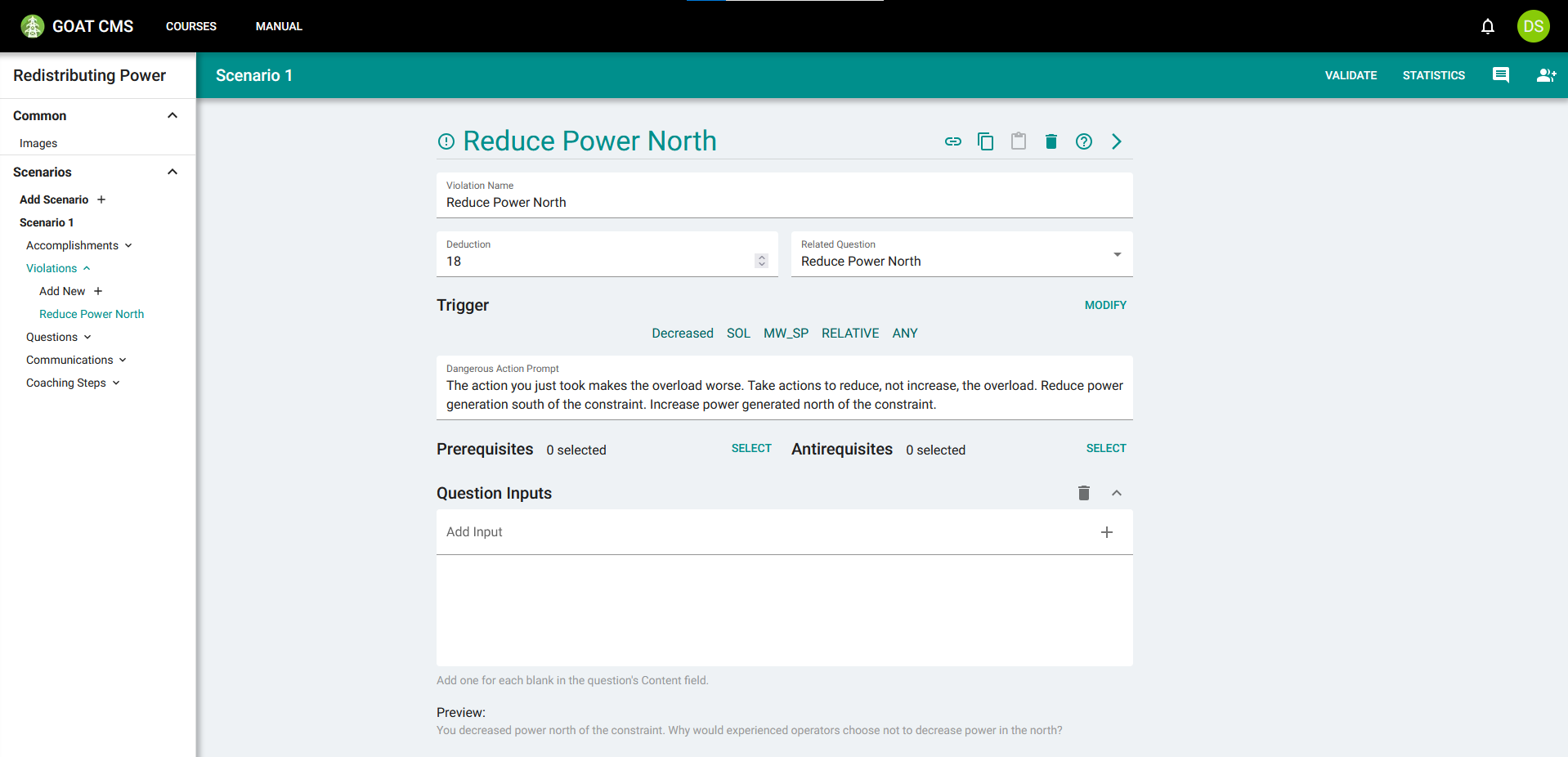
After creating a question, you will need to create one or more violations to trigger it. In the left sidebar, create a violation called Reduce Power North.
The violation has the same name as the question you created in the previous step. This is not strictly necessary, but the convention makes it easier to tell which violations go with which questions at a glance. Select the question you created for the Related Question field to link them together. Then, assign a deduction to this violation. The deduction is the score penalty associated with triggering this violation. When selecting questions for training, GOAT will select the four triggered violations with the highest deductions and display those questions. Because reducing power in the north directly contributes to making the overload worse, this should have a relatively high deduction.
Next, create the trigger to ensure the violation is actually activated. This is quite complicated to set up—see the Violation Triggers page for a tutorial on how to use the trigger editor. You want to detect decreases in MW output north of the constraint (remember that your solution target generators are north of the constraint). However, you should only trigger the violation if they decrease the power output such that it is lower than its initial value. Therefore, your trigger string will be Decreased:SOL:MW_SP:RELATIVE:ANY.
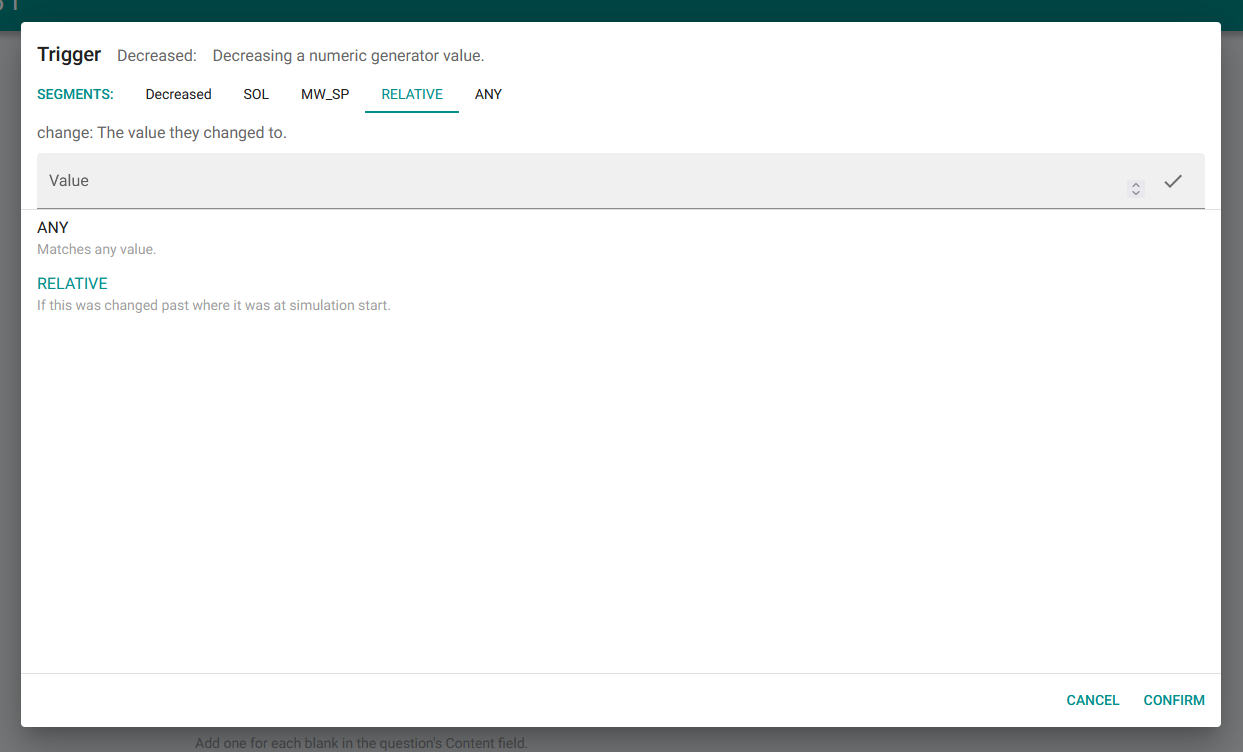
Next is the Dangerous Action prompt. This is used for particularly egregious violations that can cause serious issues with the grid or the utility. If filled in, it will create a popup warning when the violation is triggered to guide the trainee back on track. Because reducing power south of the constraint makes the overload worse, you should provide a danger prompt.
This type of action can always be performed, and it's always in violation of good practice, so you will not add any prerequisites or antirequisites for this violation. Additionally, you likely did not allow for any Question Inputs in the question's content field, so you can leave that section blank. Your final violation should look similar to the following:
Testing
To test this new violation, validate and publish the scenario. You will then need to go to the Course Overview page and invite a trainee to take the course. After doing this, open the simulator and start the simulation. Start IC 1156 and the SMUD Scn 1 scenario. Then start GOAT, log in as the trainee account, and you should see the scenario appear in the list.
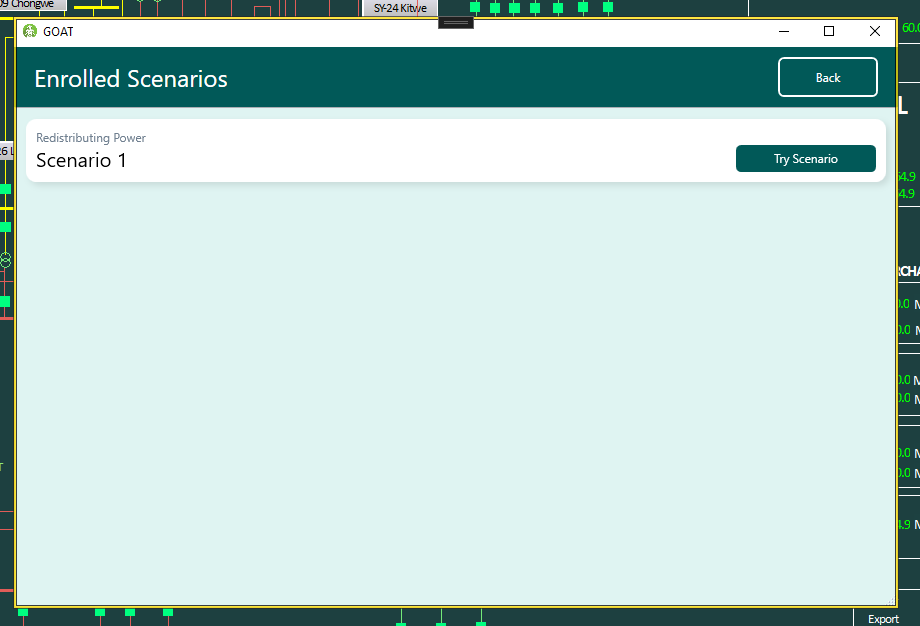
Make sure the simulation is running, and click Try Scenario. GOAT will minimize itself. In the simulator, navigate to the Generator Control page and open one of the generators in the north. Decrease the MW setpoint to reduce the amount of power output by that generator. You should see the danger message you supplied appear.
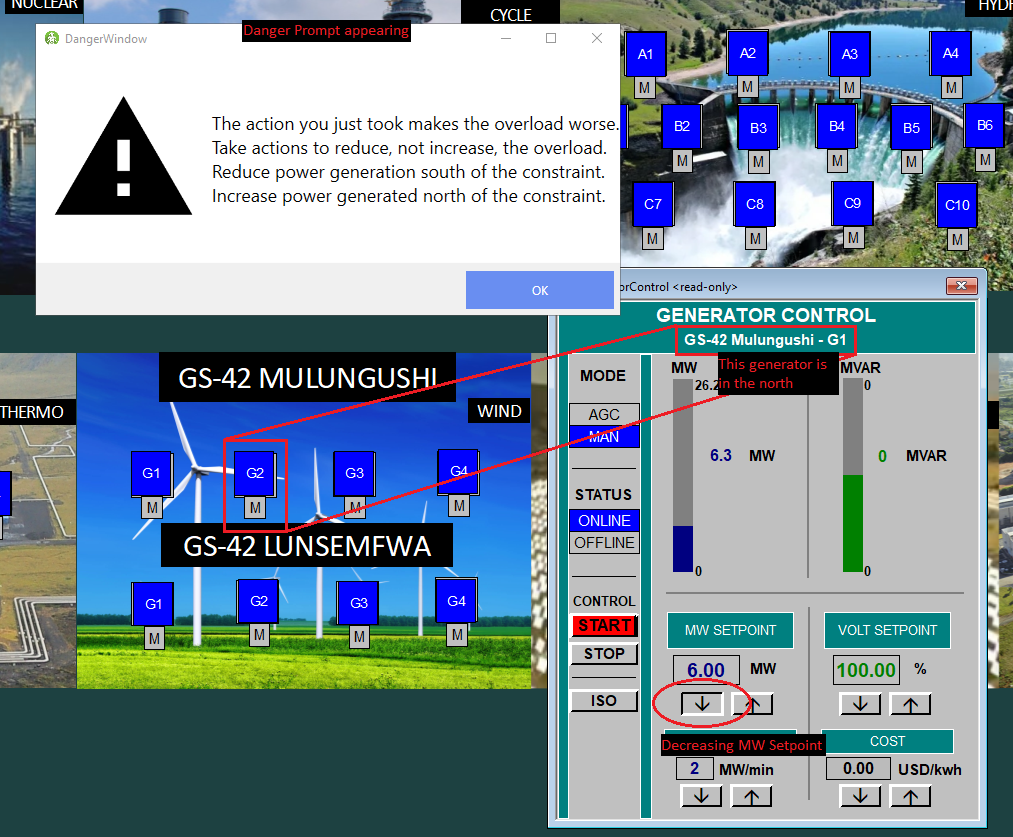
Dismiss the popup and click the Done button at the bottom right of the simulator to complete training and proceed to the After-Action Report. Click through the first two phases until you get to phase III, which is where your question should appear. You should see the question content and stub. Fill in the blanks and click Send to see the expert answer as well.
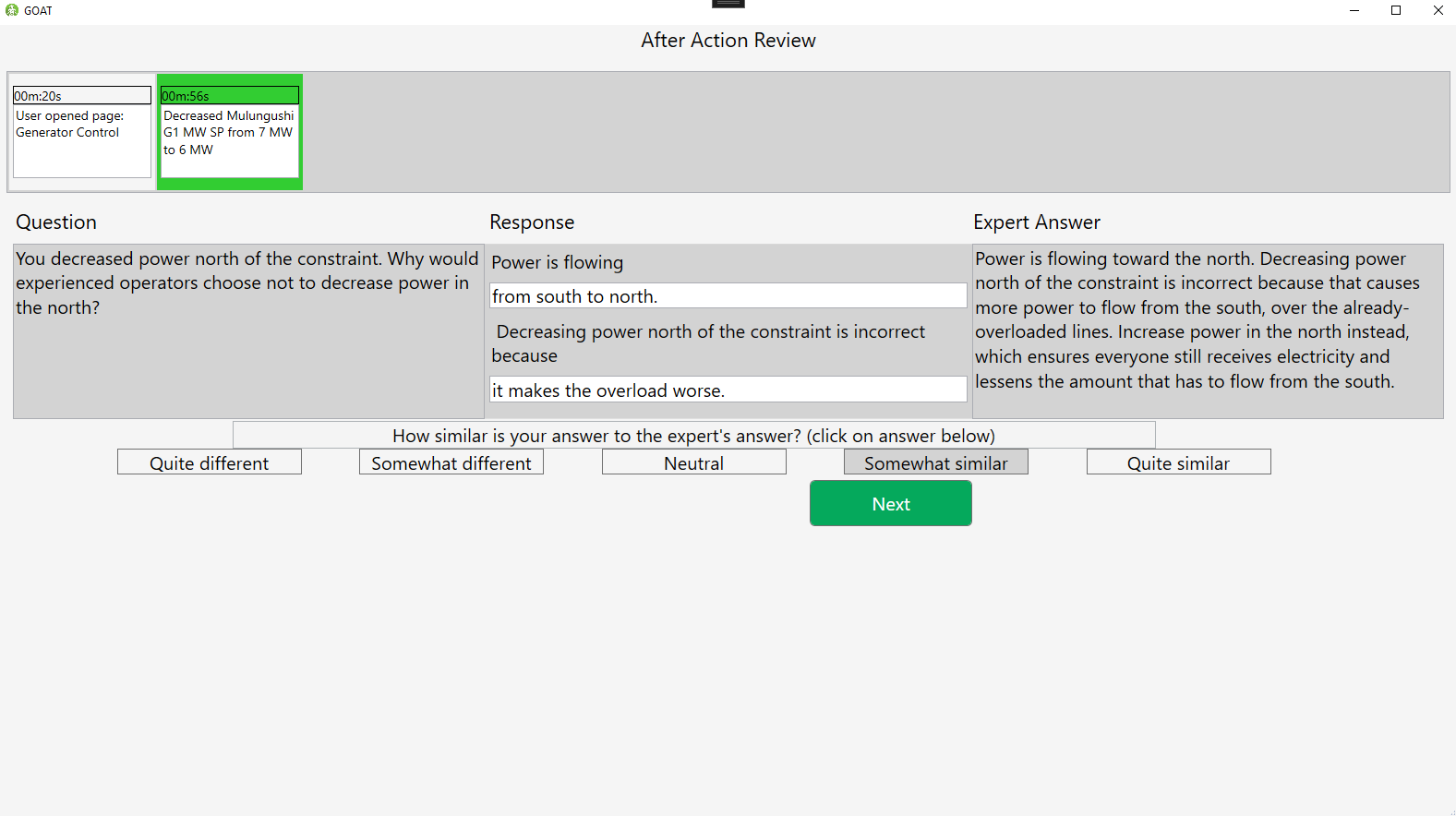
Proceed through the rest of the After-Action Report to close GOAT and finish training.
More Violations
You've verified that this first violation works, but you will need many other questions and violations to create a complete training scenario. If you wish to fill out the scenario further, you may follow the general steps above to create the following simpler violations:
- Increasing power south of the constraint.
- Increasing generator ramp rates above the limit (using a FailedGenChange action).
- Performing no actions (with the NoActions action).
- Any activity on capacitors (using the Capacitor action with each trigger segment set to ANY).
- Any activity on reactors.
You may also want to use different configurations of the ShedEval action to create several questions and violations related to shedding load incorrectly. Some examples are:
- Shedding excessive load.
- Shedding insufficient load.
- Shedding load when the scenario has already been resolved.
- Not shedding load when necessary.
- Shedding load too long before the time limit.
These simple violations don't depend on Accomplishments or Communications so it's easier to implement them first. The next sections will discuss implementing more complicated violations with these factors.