What-Next Coaching
The What-Next Coaching module is a feature of GOAT that allows trainees to request guidance on what to do next during training. When the trainee is feeling stuck and clicks the Coaching button in the simulator, they will be presented with a hint.
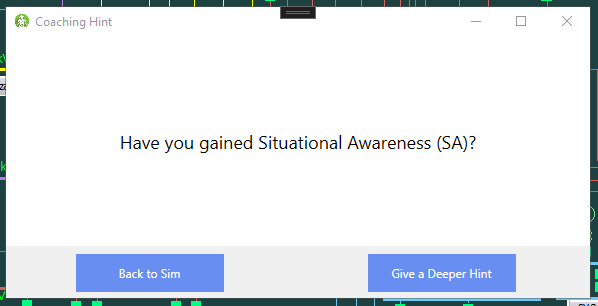
The trainee can click the "Give a Deeper Hint" button to request more detailed guidance, if needed, and can continue doing this until all hints in the current Coaching Step have been displayed. After closing this module, an AskedForHint:N action is created, with N equal to the number of hints they requested.
As the trainee progresses through training and completes Accomplishments, the available hints change. The selected hints are determined using prerequisite and antirequisite accomplishments on Coaching Steps, with the same logic as how communication options are determined. If multiple coaching steps are available, the one with the highest Display Priority is chosen.
Creating Coaching Steps
Coaching hints are meant to be a last resort to the user, so the most important type of coaching steps are those that tell the user where to look to gain information. The hints shown at the beginning of the scenario should tell the user where to look to gain Situational Awareness (SA) and find the actual problem. To allow for this, you will need to create a Gain SA accomplishment.
In this scenario, the best way to diagnose the problem is to check station pages that display alarms. If you view the alarms at the top of the screen, you can see alarms at the Kabwe and Leopard stations:

This alarms panel is always displayed at the top of the simulator. The names of stations associated with each alarm are underlined.
The trainee should visit both of these stations in order to learn what they need to about the state of the grid. Create an accomplishment in phase I with the CheckOneline criteria, listing both of these station pages as requirements. A oneline is the name used for substation diagrams. The trainee must view these diagrams to gain SA.
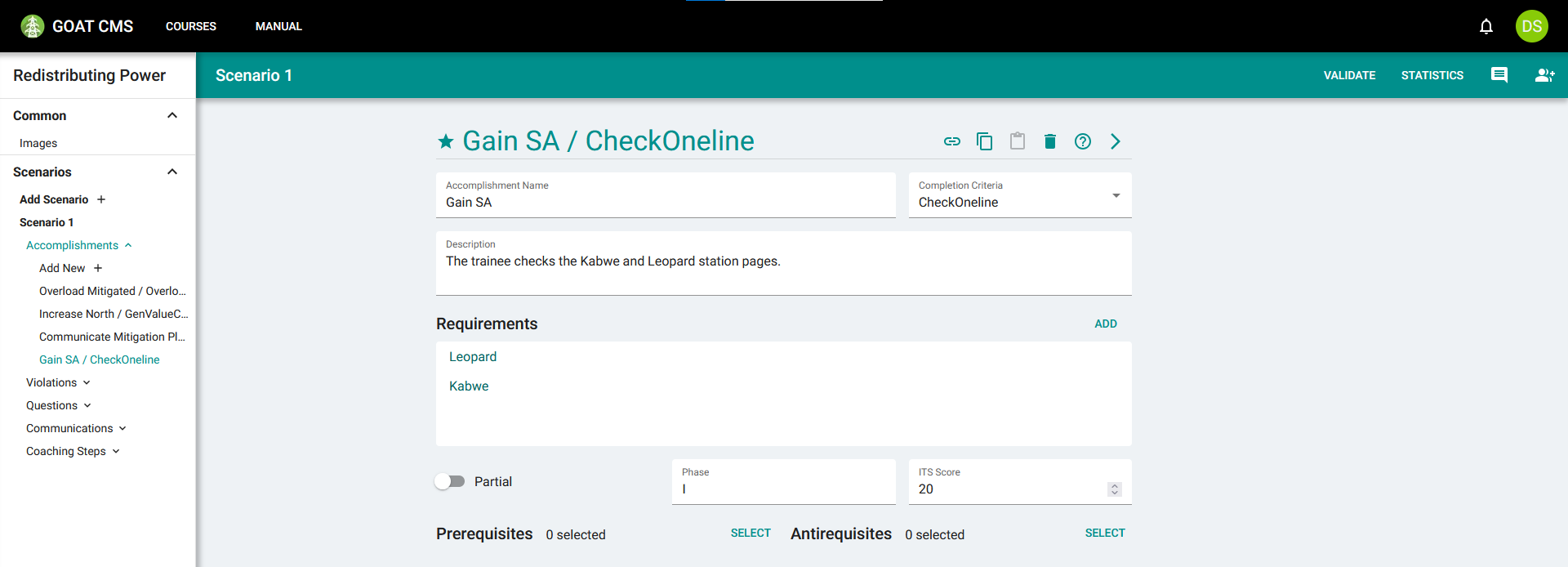
Now you will create a Coaching Step to guide them toward completing this accomplishment. Creating a coaching step is quite simple. You have to provide the list of hints that will be displayed sequentially, and then define how it is displayed. Add 3 hints to tell the user that they must gain Situational Awareness and guide them to understanding how.
Select the Gain SA accomplishment as an antirequisite—we only want to display this hint if they haven't already gained SA. Finally, set the Display Priority to a fairly high value, as understanding the problem is almost always the most important step. Leave the Source Accomplishment and Requirement Count fields as they are, they will be covered in more detail below.
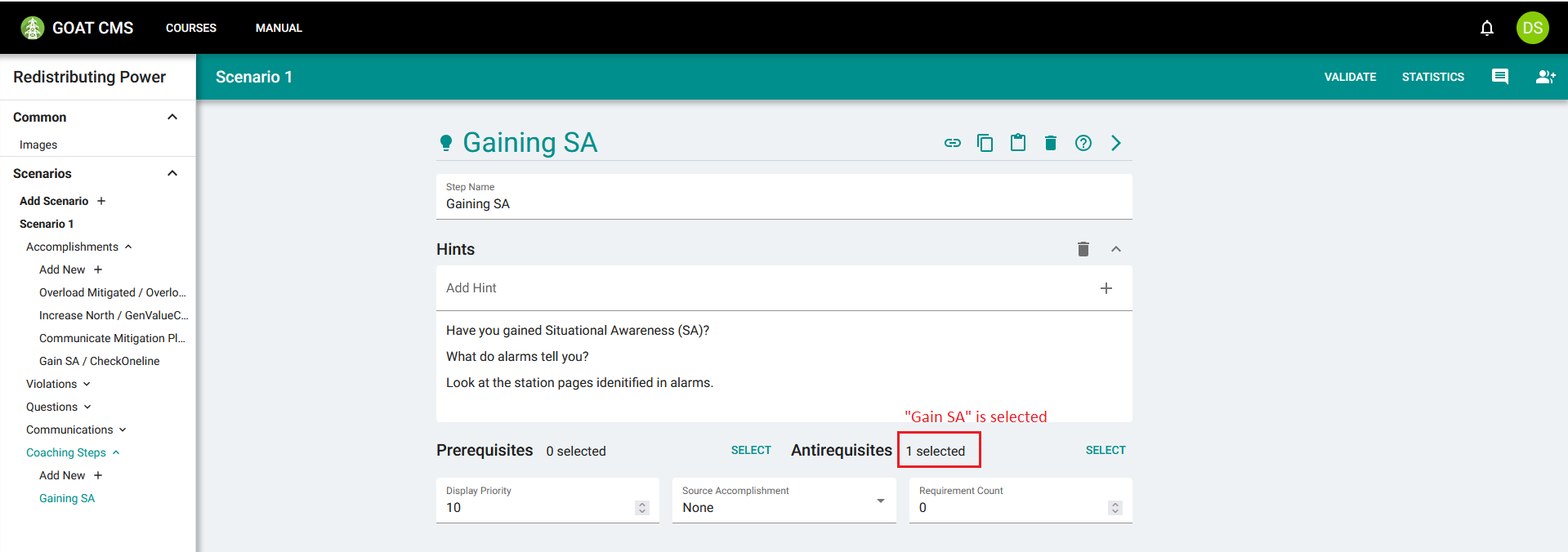
These hints will be chosen whenever the trainee requests guidance but hasn't yet finished gaining Situational Awareness, unless some other step is available and given higher priority. Displaying this hint can guide the user to understanding the problem.
More Coaching Steps
The coaching step you added previously will not be displayed once the trainee has completed the Gain SA accomplishment, and then there are no more coaching steps to choose from. If the trainee asks for guidance at that point, they will just receive a generic message:
There are no hints to display.
This is unhelpful for the trainee, so you should ensure there are always hints to choose from. Follow the steps in the previous section to create hints for all of the existing accomplishments, using prerequisites and antirequisites to switch between them. You may also add more accomplishments and steps to give the trainee full guidance for the scenario.
Also make sure to add a step with some prerequisites but no antirequisites, for when everything is completed and the trainee just needs to click the Done button to end training (assuming you haven't provided another FINISH accomplishment to automatically end training).
If you'd like, you can get extra creative with Accomplishments and Coaching Steps to guide the trainee back on track if they make a mistake. For example, you could create an Incorrect Action accomplishment that is completed when increasing power in the south or decreasing in the north, both of which make the overload worse. This accomplishment would have Partial Completion enabled, so that completing either requirement marks the accomplishment as complete. You could then add a coaching step with Incorrect Action as a prerequisite, give it a high priority, and use it to tell the trainee how to make the correct actions.
Source Accomplishments
These features are already fairly powerful, but Coaching Steps can be taken further. Consider the first coaching step you created, called Gaining SA in this tutorial. This is displayed with high priority as long as the Gain SA accomplishment has not been completed, meaning the trainee has not looked at at least one of the relevant stations. However, it could be helpful to give the trainee extra guidance when they've looked at one of them, but is still missing the other one. This is done by specifying a Source Accomplishment.
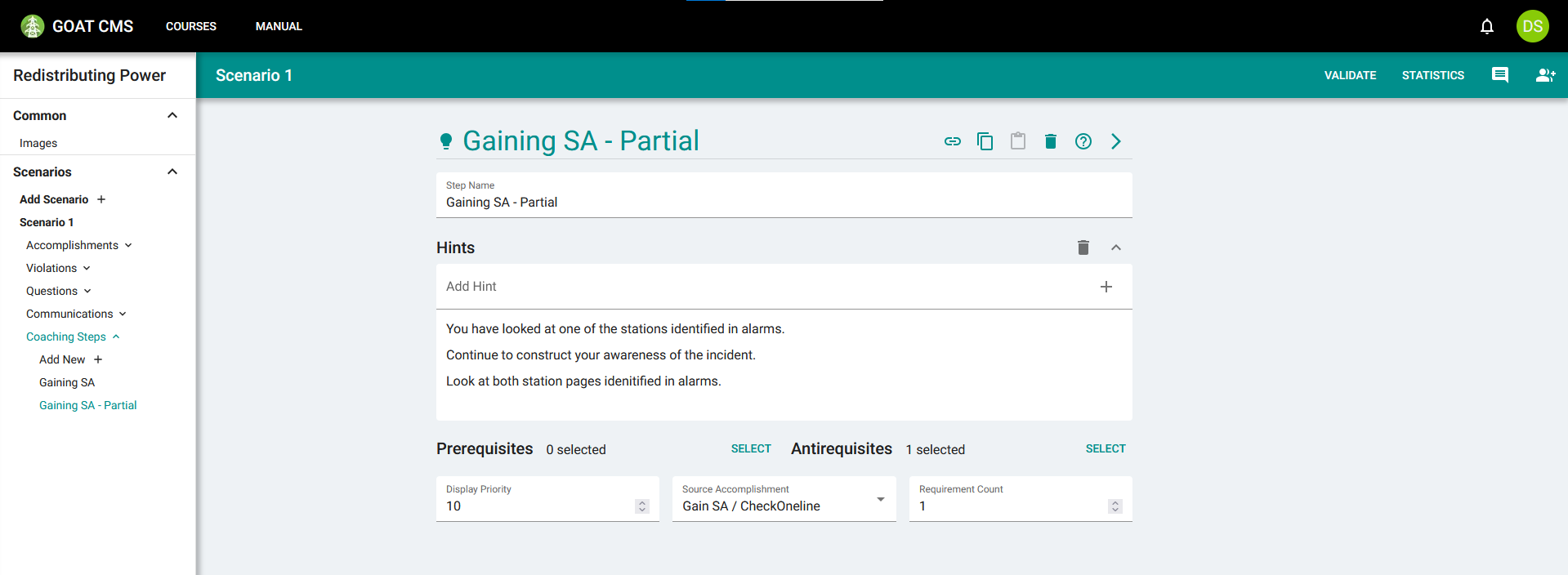
Navigate to the Gaining SA step and select the Gain SA / CheckOneline accomplishment as a Source Accomplishment. Leave Requirement Count at zero, meaning this will be displayed as long as the trainee has completed zero or more requirements on Gain SA (i.e. always, as long as the accomplishment is not completed). Then use the copy and paste feature to duplicate this step.
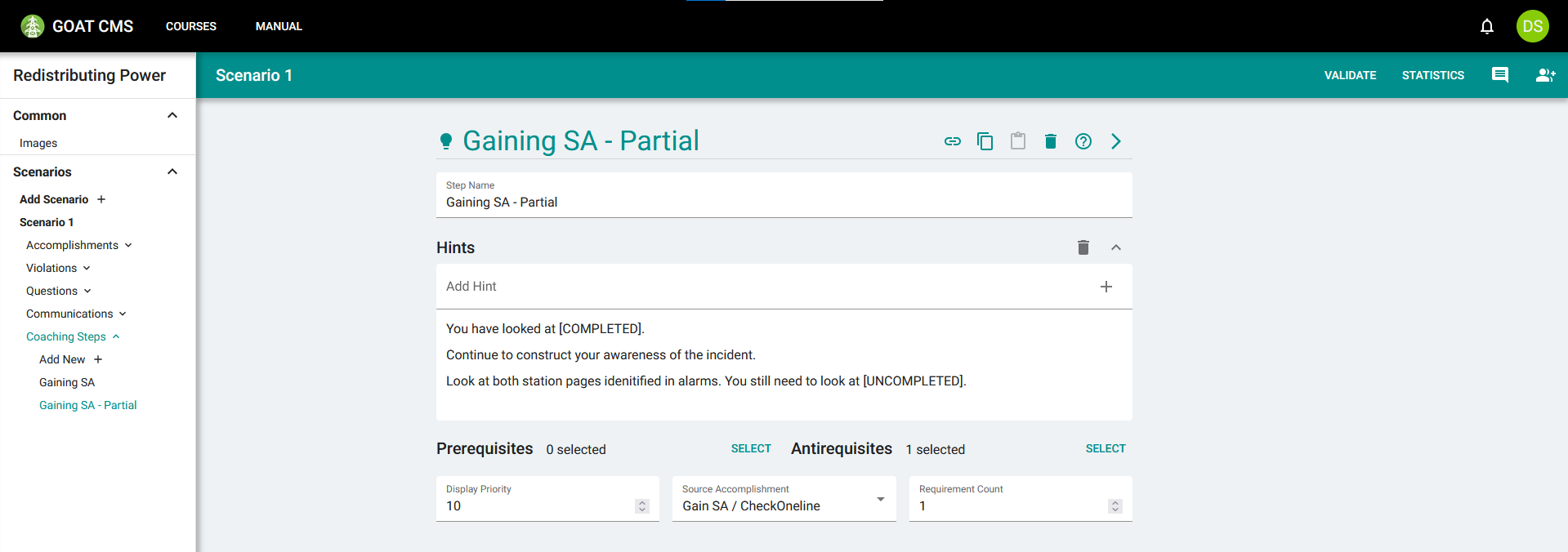
For the new coaching step, leave the prerequisites, antirequisites, priority, and source accomplishment the same, and set the Requirement Count to one. Now this step will be displayed whenever the trainee has looked at at least one of the station lines, but is still missing the other one. Steps with a higher Requirement Count are prioritized slightly, so this version will be displayed over the original if its criteria is met. Update the presented hints to tell the trainee that they are on the right track.
Requirement Substitutions
We can go even further than this to provide dynamically-generated instructions in the hints themselves. In the hints you just created, it could be helpful to tell the trainee which station they had looked at, and which one to look at next. You can do this by adding special text to the hints.
Adding the text [COMPLETED] will format the text with a list of the requirements in the Source Accomplishment that have been completed. Adding the text [UNCOMPLETED] will format the text with a list of uncompleted requirements. Let's use the Gaining SA accomplishment as an example, using both substitutions:
You have looked at [COMPLETED].
Continue to construct your awareness of the incident.
Look at both station pages identified in alarms. You still need to look at [UNCOMPLETED].
If the trainee asks for hints while having looked at Kabwe but not at Leopard, the hints will automatically be formatted to include that information:
You have looked at Kabwe.
Continue to construct your awareness of the incident.
Look at both station pages identified in alarms. You still need to look at Leopard.
By using requirement substitutions, it's possible to tailor coaching hints to the exact state of training, in order to make them as helpful as possible.
In the next section, you will learn how to attach images to questions.